
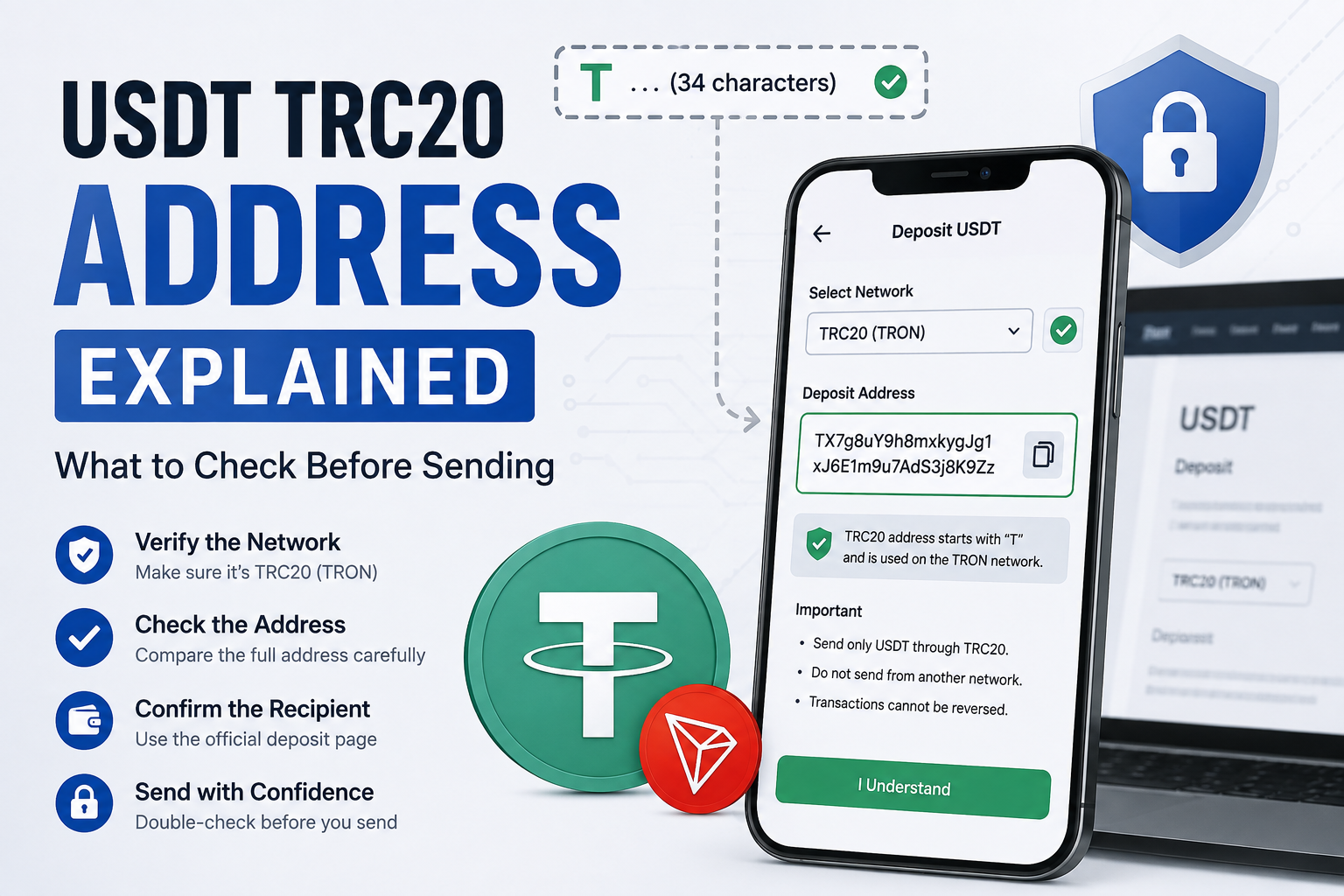
USDT TRC20 Address Explained: What to Check Before Sending
A USDT TRC20 address may look like a long random code, especially if you are new to sending crypto.
You may copy an address from an exchange, paste it into your wallet and see a long combination of letters and numbers.
Then an important question appears:
Is this really the correct address?
This is worth checking carefully.
When you send USDT through TRC20, you are sending the token through the TRON blockchain. If the address, network or receiving instructions are wrong, correcting the mistake after the transaction is sent can be difficult.
The good news is that you do not need advanced blockchain knowledge to check the basics.
You mainly need to understand what the address represents, which network you are using and where the address came from.
What Is a USDT TRC20 Address?
A USDT TRC20 address is a TRON blockchain address that can be used to receive compatible TRC20 tokens such as USDT.
In most wallets and exchanges, a normal TRON address is displayed as a long address beginning with the letter:
T
For example, it may look something like:
T…
followed by many more letters and numbers.
You do not need to memorise the full format.
The important point is that TRC20 USDT uses the TRON network, so the destination must be compatible with TRON.
However, seeing an address that starts with T does not automatically prove that it belongs to the person or exchange you want to pay.
It only gives you one clue about the network format.
You still need to check the actual recipient.
USDT Is the Token, TRON Is the Network
This difference is important.
USDT is the asset you are sending.
TRON is the blockchain network used for a TRC20 transfer.
So when preparing a payment, do not ask only:
“Does this wallet accept USDT?”
Also ask:
“Does this wallet accept USDT through TRC20 on TRON?”
A platform may support USDT on several networks.
Another may support only some of them.
The token name can be the same while the networks are different.
If this is still confusing, our USDT TRC20 vs ERC20 guide explains the difference in simple terms.
A TRON Address Is Not the Same as a TxID
This is another common source of confusion.
A wallet address tells the blockchain where funds are being sent.
A TxID identifies one specific blockchain transaction.
They are not the same thing.
One wallet address can receive many transactions over time.
Each transaction can have its own TxID.
So if someone asks you:
“What address did you send to?”
they are asking for the destination address.
If support asks:
“What is the transaction hash?”
they are usually asking for the TxID of the specific transfer.
Our USDT transaction hash (TxID) guide explains this difference in more detail.
Do Not Confuse a Wallet Address With the USDT Contract Address
This is especially important when using blockchain explorers.
USDT TRC20 is a token created through a smart contract on TRON.
That token has its own contract address.
But the USDT contract address is not automatically the address where you should send your payment.
Your receiving wallet or exchange should provide its own deposit address.
Do not open a blockchain explorer, find the USDT token contract and assume:
“This must be the address where USDT should be sent.”
That is not how a normal person-to-person or wallet-to-exchange transfer works.
Use the receiving address provided by the wallet, exchange or person you actually intend to pay.
Always Get the Address From the Receiving Side
Suppose you want to send USDT from Wallet A to Exchange B.
The safest starting point is:
- Open Exchange B.
- Select Deposit.
- Select USDT.
- Select TRON or TRC20.
- Copy the deposit address shown there.
Do not start from the sending wallet and guess which address should be used.
The receiving side should tell you where the deposit needs to go.
This becomes even more important when the receiving platform offers several networks for USDT.
Check the Network Before Copying the Address
Before you press Copy, look at the network shown on the deposit page.
It may say:
TRC20
or:
TRON
If you want to send through TRC20, make sure that is the network currently selected.
Do not copy an address from one network and then casually switch the network on the sending side.
The deposit instructions and sending network should match.
A network mistake can be much harder to solve than simply waiting for a delayed payment.
Our USDT sent to the wrong network guide explains what to check if you think that has already happened.
Check the Address After You Paste It
Copying an address is convenient, but do not stop checking just because you used the Copy button.
After pasting the address into your sending wallet, compare it with the original address on the receiving screen.
For an important payment, compare several parts of the address.
For example, look at:
- the beginning,
- some characters in the middle,
- and the ending.
You do not need to read every character aloud.
But do enough checking to make sure the pasted address still matches the address you intended to use.
Do Not Check Only the First Letter
Because TRON addresses normally begin with T, many TRON addresses can look similar at first glance.
So this is not enough:
“It starts with T, so it must be correct.”
No.
The letter T can help you recognise the address format, but it cannot identify the owner.
Two different TRON addresses can both start with T and still belong to completely different wallets.
Always compare more than the first character.
Do Not Trust an Address Only Because You Used It Before
Imagine that you sent USDT to an exchange three months ago.
The transaction worked.
You saved that address in a note.
Today you want to deposit again.
It may be tempting to copy the old address immediately.
But it is safer to open the receiving exchange again and check the current deposit page.
Do not assume that an old saved address must remain valid forever.
Platforms can change deposit systems, supported networks or wallet arrangements.
Using the address currently displayed by the receiving platform reduces unnecessary assumptions.
We will discuss changed deposit addresses in more detail in a separate guide.
Be Careful With Addresses Saved in Chat
You may receive a wallet address through:
- WhatsApp,
- Telegram,
- email,
- SMS,
- social media,
- or another messaging app.
Before sending, ask whether this is really how the recipient normally provides payment information.
If the payment is for an exchange or online platform, it is usually better to obtain the deposit address directly from that platform instead of relying on an address forwarded through a message.
A copied message can be old.
It can also be sent by the wrong person.
Always know where the address came from.
Check the Name or Account Around the Address
Crypto addresses themselves do not normally tell you the person’s real-world identity.
So context matters.
If you are depositing to an exchange, confirm that you are logged into the correct account.
If you are paying another person, confirm that the address came from that person through a communication method you trust.
Do not send simply because somebody posts:
“Here is the USDT address.”
If the payment matters, confirm the recipient before sending.
Never Guess a Missing Character
Crypto addresses are not something you should repair manually.
If an address appears incomplete, cut off or damaged, do not guess the missing part.
For example, do not think:
“I know the first and last characters, so I can probably fill in the rest.”
Get the complete address again from the receiving side.
One wrong character can make the destination completely different or invalid.
Avoid Typing a Long Address Manually
Whenever possible, use the official Copy function provided by the wallet or exchange.
Typing a long crypto address manually creates unnecessary opportunities for mistakes.
After copying, still compare the pasted result.
Copying helps reduce typing errors.
Checking helps confirm that the correct information reached the sending field.
Both steps are useful.
What About QR Codes?
Some wallets and exchanges provide a QR code for the deposit address.
Scanning the QR code can make entering the address easier.
But the same safety rule still applies:
Check what appears after scanning.
Confirm:
- token,
- network,
- destination address,
- amount if the QR code includes one.
Do not assume that scanning a QR code makes every part of the transaction automatically correct.
The QR code is simply another way of providing payment information.
Check the Address Before Entering a Large Amount
A good habit is to verify the destination first, then confirm the amount.
Do not become so focused on:
100 USDT
or:
1,000 USDT
that you forget to check where the funds are going.
The amount can be perfectly correct while the destination is wrong.
Both matter.
A Small Test Transfer Can Help in Some Cases
If you are sending a large amount to a new address for the first time, a small test transfer may be useful in some situations.
The idea is simple.
You first send a smaller amount.
Then you confirm that:
- the network was correct,
- the address worked,
- and the receiving side detected the deposit.
Only after that do you consider sending the larger amount.
However, a test transfer is still a real blockchain transaction.
It can have a network fee.
The receiving platform may also have a minimum deposit requirement.
So do not send a tiny test amount without checking whether the receiving service will actually credit it.
Do Not Copy an Address From Transaction History Without Checking
Wallets and blockchain explorers can show addresses from previous transfers.
That can be convenient.
But if you want to make a new payment, do not automatically copy an address from an old transaction just because it looks familiar.
Go back to the current receiving instructions.
A transaction history shows what happened before.
It does not guarantee that the same destination is still the one you should use now.
What If the Address Looks Different From Last Time?
Do not panic.
But do not ignore it either.
Open the receiving wallet or exchange directly.
Confirm:
- you are logged into the correct account,
- USDT is selected,
- TRC20 is selected,
- and the address shown is the current deposit address.
If the platform has changed the address, follow its current official instructions.
Do not choose between an old and new address based only on which one looks more familiar.
This is important enough that we will cover changed deposit addresses separately in article #31.
What If the Sending Wallet Says the Address Is Invalid?
Stop and check the details.
Do not try random changes to make the address pass validation.
Check:
- Did you copy the complete address?
- Did you accidentally include a space?
- Is TRC20 selected?
- Did you copy an address for another network?
- Is the receiving platform showing a different address now?
Copy the address again directly from the source.
If the wallet still rejects it, do not force the transaction.
Find out why first.
What If the Address Is Accepted but the Transaction Fails?
An accepted address does not guarantee that every other part of the transaction will work.
A USDT TRC20 transfer can still have another problem involving:
- network resources,
- TRX,
- wallet configuration,
- transaction execution,
- or another sending-side issue.
If a TxID is created, check the transaction result.
Our guide on how to check a USDT TRC20 transaction on TRONSCAN explains how to use the TxID to inspect the blockchain record.
If the transaction itself is marked Failed, investigate the failure before trying again.
What If You Already Sent to the Wrong Address?
Do not immediately send another payment.
First confirm what actually happened.
Find the TxID.
Open the correct blockchain explorer.
Check:
- transaction result,
- receiving address,
- token,
- amount,
- network.
If the blockchain transaction was successful and the funds were sent to an address you did not intend to use, the situation can be serious.
Blockchain transactions that have already completed cannot simply be cancelled like an unsent bank transfer.
If you know the owner of the receiving address, you may be able to contact them and ask whether they can return the funds.
If you do not know who controls the address, recovery may be difficult or impossible.
TRONSCAN Cannot Reverse a Wrong-Address Transfer
TRONSCAN is useful for viewing blockchain information.
It can help you see:
- the TxID,
- sending address,
- receiving address,
- transaction result,
- token transfer.
But TRONSCAN is not holding your wallet funds.
It cannot simply press a button and reverse a successful transfer for you.
Be careful with anyone pretending to be TRONSCAN support and promising to reverse a transaction for a fee.
Do Not Pay a Stranger to “Correct” the Address
A wrong-address mistake can make people desperate.
That is when scams become dangerous.
Someone may say:
“Send 50 USDT and I can recover the first transaction.”
or:
“Give me your seed phrase so I can change the receiving address.”
Do not do this.
Once a transaction has already been recorded successfully, a stranger cannot rewrite the transaction simply because you pay them.
Never provide:
- seed phrase,
- private key,
- wallet password,
- OTP,
- remote access,
- screen control.
A transaction problem should not become a wallet-security problem.
Your Seed Phrase Is Not Your Wallet Address
This difference is extremely important.
A wallet address is designed to receive blockchain transactions.
It can generally be shared when somebody genuinely needs to send funds to you.
A seed phrase is different.
The seed phrase can give control over the wallet.
Never send your seed phrase to somebody just because they ask for:
“your TRC20 address details.”
A receiving address and a recovery phrase are completely different pieces of information.
Is It Safe to Share a TRC20 Address?
A public wallet address is not the same as a password or private key.
Someone normally needs the address if they want to send a blockchain transfer to you.
However, remember that blockchain activity can be publicly visible.
Sharing an address may allow someone to view transactions associated with that address through a blockchain explorer.
So while a receiving address is not a secret credential, you should still think about where and why you share it.
Never confuse sharing an address with sharing control of the wallet.
Check the Address Again After Changing the Network
Suppose you first select ERC20 on an exchange.
Then you change the deposit network to TRC20.
Do not assume the address displayed before the change should still be used.
Look at the deposit page again after selecting the final network.
Copy the address associated with the network you actually intend to use.
The same rule applies on the sending side.
Confirm the network before confirming the final destination.
Do Not Let a Lower Fee Decide the Address
Sometimes users choose TRC20 because the displayed withdrawal fee looks lower than another network.
There is nothing wrong with comparing costs.
But the receiving side must still support TRC20.
Never think:
“TRC20 is cheaper, so I will send to this address anyway.”
Network compatibility comes first.
Fee comparison comes after that.
A lower fee cannot fix an incompatible destination.
Save the TxID After Sending
Once the transaction has been sent, keep the TxID until the transfer is fully settled.
If the recipient says the USDT has not arrived, the TxID helps you check the exact transaction.
You can compare:
- receiving address,
- amount,
- token,
- transaction status.
This is much better than relying only on a screenshot saying:
Payment Successful
A screenshot shows what an app displayed.
A blockchain record helps identify the actual transaction.
A 30-Second USDT TRC20 Address Check
Before pressing Send, take a few seconds and check:
- Is the token USDT?
- Does the receiving side support TRC20?
- Is TRON/TRC20 selected?
- Did the address come from the current receiving page?
- Does the address shown after pasting match the original?
- Did you compare more than just the first letter?
- Is the amount correct?
- Are you using the official wallet or exchange?
- Are you sure you are not copying an old address from chat or transaction history?
- Do you know where to find the TxID after sending?
If one of these answers is unclear, do not press Send yet.
An address is only a string of characters until you confirm where it came from and which network it belongs to.
A few seconds of checking before the transaction is much easier than trying to solve a wrong-address problem afterwards.