UPI Lite Explained: What Indian Users Should Know Before Using It
UPI Lite is designed to make small everyday UPI payments quicker.
Instead of entering your UPI PIN every time you buy something small, you can keep a limited balance in UPI Lite and use that balance for eligible payments.
This can be useful for things like tea, snacks, local transport, small shop purchases or other low-value payments you make during the day.
But UPI Lite is not exactly the same as paying directly from your bank account through normal UPI.
It has its own balance, transaction limits and security considerations.
Before activating it, it helps to understand where the money comes from, when a UPI PIN is required and what happens if your UPI Lite balance becomes low.
What Is UPI Lite?
UPI Lite is a small-value payment feature built into the UPI ecosystem.
When you enable it, you can add money from an eligible bank account to your UPI Lite balance.
You can then use that balance for supported small payments.
The main difference is convenience.
For an eligible UPI Lite payment, you normally do not need to enter your UPI PIN every time you pay.
For example, imagine you are buying something for ₹120 at a local shop.
With normal UPI, you may scan the QR code, confirm the amount and enter your UPI PIN.
If UPI Lite is enabled and the transaction is eligible, the payment can instead come from your UPI Lite balance without asking for the PIN again.
That can make repeated small payments faster.
UPI Lite Is Not a Separate Bank Account
The balance you see in UPI Lite should not be confused with a new bank account.
You first add money to UPI Lite from an eligible linked bank account.
That amount then becomes available for UPI Lite payments.
Suppose you add ₹1,000.
Your UPI Lite balance may then show ₹1,000, while the same amount has already been debited from the bank account you used to fund it.
When you later pay ₹150 using UPI Lite, the payment reduces the UPI Lite balance rather than making a fresh ₹150 debit directly from your bank account at that moment.
This is one reason small UPI Lite payments may not appear in your bank statement in exactly the same way as normal UPI transactions.
Your UPI app should still provide a way to view your UPI Lite activity.
What Are the Current UPI Lite Limits?
UPI Lite is meant for small payments, so it has lower limits than normal UPI.
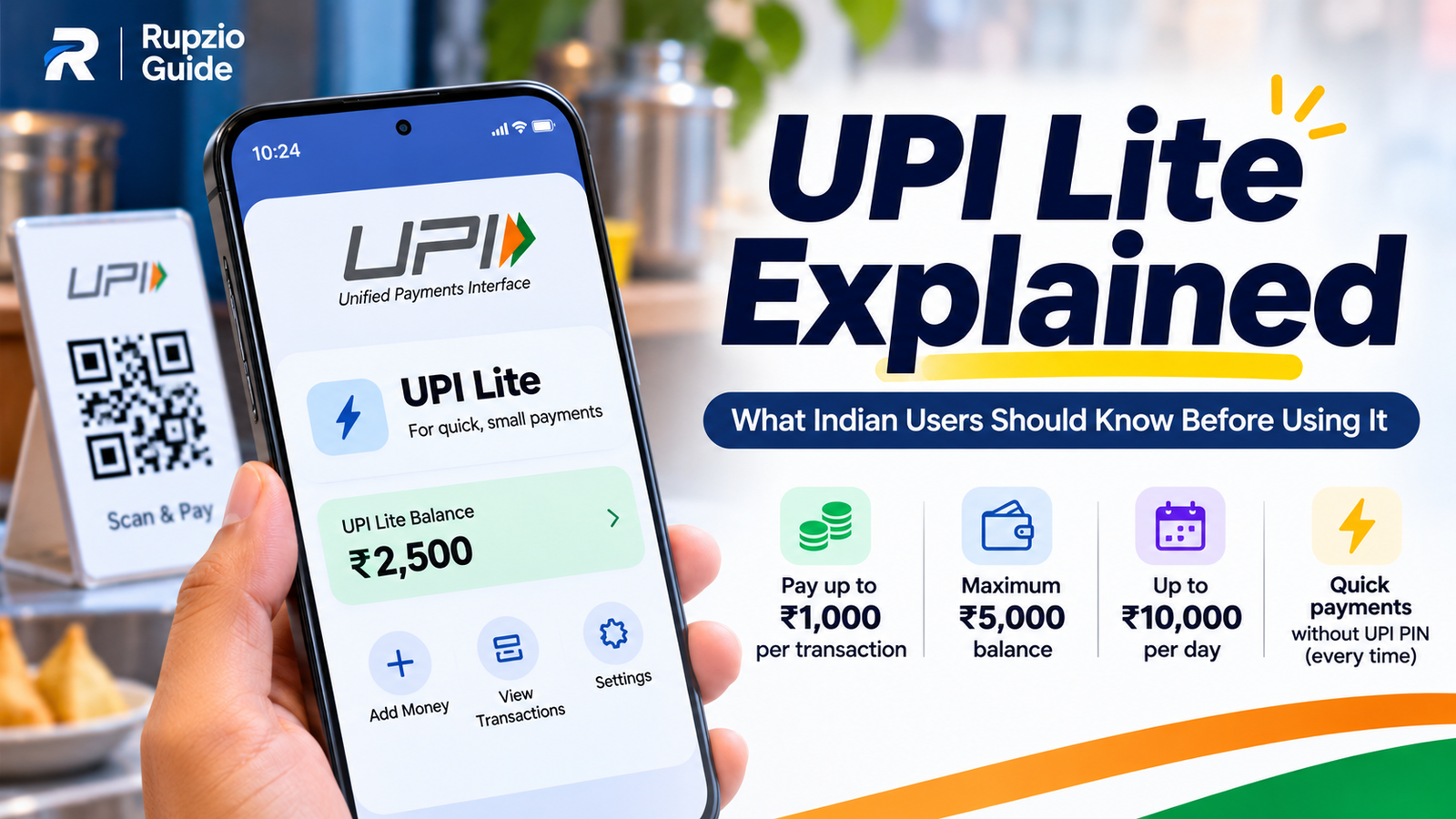
Current limits include:
- up to ₹1,000 for one UPI Lite transaction;
- up to ₹5,000 balance in UPI Lite at one time;
- and up to ₹10,000 in cumulative UPI Lite usage during a day.
These limits are important because UPI Lite is not designed to replace normal UPI for large payments.
For example, if you need to pay ₹4,500 to a merchant in one transaction, normal UPI or another suitable payment method may be required instead.
The exact options shown in your app can also depend on whether your bank and UPI app support the feature.
Do You Need a UPI PIN for UPI Lite Payments?
For eligible UPI Lite payments, you normally do not enter your UPI PIN for every transaction.
That is one of the main reasons UPI Lite is faster for small payments.
However, this does not mean your UPI PIN is no longer important.
A UPI PIN may still be required when setting up UPI Lite, adding money, changing certain settings or performing actions that involve your linked bank account.
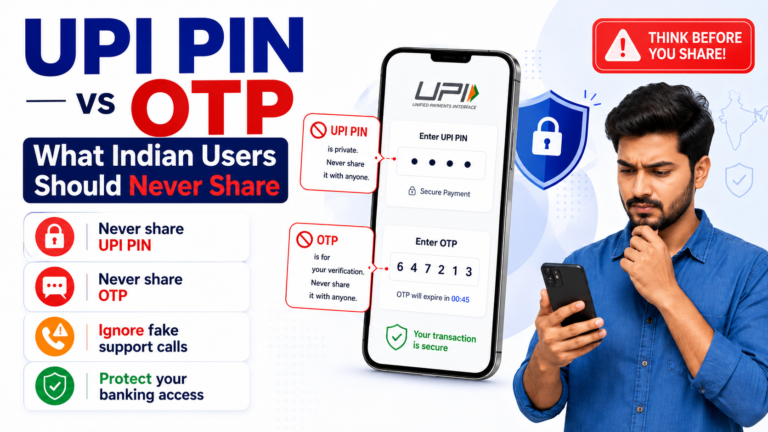
Your UPI PIN should always remain private.
Do not tell it to a shopkeeper, friend, caller or anyone claiming to be customer support.
If you are unsure about the difference between a UPI PIN and an OTP, our UPI PIN vs OTP guide explains what each one is used for.
How Do You Add Money to UPI Lite?
The exact screen can differ between UPI apps, but the general process is straightforward.
You usually:
- open the UPI app;
- find the UPI Lite option;
- choose the linked bank account you want to use;
- enter the amount you want to add;
- approve the transfer using the required authentication.
After the transfer is successful, the amount becomes part of your UPI Lite balance.
You do not need to load the maximum amount simply because the app allows it.
If you only use UPI Lite for occasional small purchases, keeping a smaller balance may be enough.
What Happens When the UPI Lite Balance Is Low?
If your UPI Lite balance is too low for a payment, the transaction may not be completed through UPI Lite.
Depending on the app and payment flow, you may be able to add more money or use normal UPI instead.
Some UPI apps may also support an auto-replenishment feature that can add money to UPI Lite when the balance falls below a chosen level.
If you use auto-replenishment, check:
- which bank account is connected;
- the amount that can be added;
- when replenishment happens;
- and whether you still want the feature enabled.
Do not turn it on without understanding how it works.
Does UPI Lite Work Everywhere?
Not every UPI transaction will necessarily use UPI Lite.
The payment needs to be eligible and supported by the UPI app and payment flow.
If UPI Lite does not appear as an option, you may still be able to make the payment using normal UPI.
Do not assume that something is wrong simply because one merchant payment uses UPI Lite and another does not.
Support may also differ between apps, banks and payment features.
What Happens if a UPI Lite Payment Fails?
First, do not immediately make the same payment again.
Open the UPI app and check the transaction status.
Look for whether the payment shows:
- successful;
- failed;
- pending;
- or another status.
Also check your UPI Lite balance.
If the payment failed but the balance appears to have reduced, use the transaction details and the official support option provided by your payment app or bank.
Do not rely only on a merchant screenshot or verbal confirmation.
If the payment is unclear, confirm the transaction from your own app before trying again.
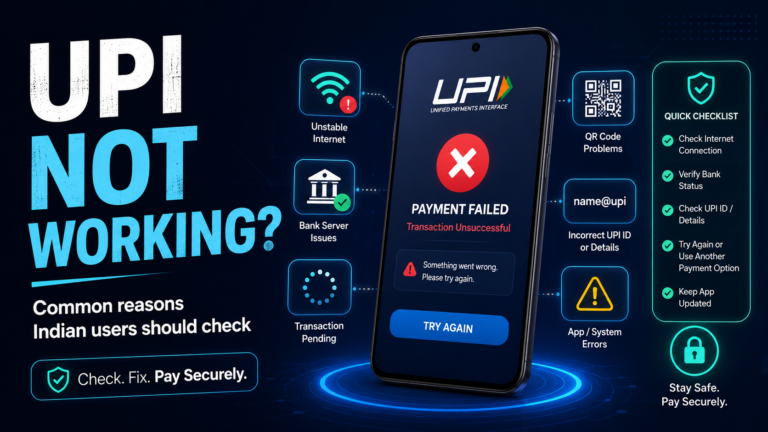
Our UPI Not Working guide explains broader checks if you are also experiencing problems with normal UPI transactions.
Can Someone Use Your UPI Lite if They Get Your Phone?
UPI Lite is designed for convenience, but that convenience makes phone security important.
Because eligible small payments do not require you to enter a UPI PIN every time, you should keep your phone protected.
Use a secure screen lock such as:
- PIN;
- password;
- fingerprint;
- or another supported device lock.
Do not leave an unlocked phone with someone you do not trust.
If your phone is lost, take action through your mobile provider, bank and payment app as appropriate.
Also review the security options offered by your UPI app.
UPI Lite may make small payments easier, but it does not mean you should treat the device casually.
Is UPI Lite Safer Than Normal UPI?
It is better to think of UPI Lite as different, rather than simply safer or less safe.
Normal UPI usually requires the UPI PIN when you authorise a payment from your bank account.
UPI Lite reduces the need to enter that PIN for eligible small-value payments.
That means your UPI PIN is exposed less frequently during everyday small purchases.
At the same time, because small payments can be made without entering the PIN every time, protecting access to your phone becomes especially important.
Both methods still require sensible payment habits.
Always check:
- who you are paying;
- the amount;
- the UPI ID or merchant details;
- and whether you actually intended to make the payment.
Do Not Treat UPI Lite as “Free Money”
Money in your UPI Lite balance is still your money.
It came from your linked bank account.
This may sound obvious, but small payments can be easy to overlook.
A ₹50 payment here and a ₹100 payment there can add up.
Check your UPI Lite activity occasionally, especially if you use it several times each day.
If you see a payment you do not recognise, do not ignore it simply because the amount is small.
Be Careful With Fake UPI Lite Support
A problem with UPI Lite does not require you to share your private banking details with a stranger.
Be suspicious if someone contacts you and asks for:
- your UPI PIN;
- OTP;
- debit card PIN;
- full card details;
- banking password;
- or remote access to your phone.
A genuine support process should not require you to read your UPI PIN or OTP aloud to another person.
If you need help, use the support section inside your UPI app, your bank’s official app or another official support channel.
Do not trust random customer-care numbers found in comments, messages or unofficial websites.
What Is UPI Lite X?
UPI Lite X is related to UPI Lite, but it adds another capability: offline payments.
It is designed to allow supported small-value payments even when internet or telecom connectivity is weak or unavailable.
This can be useful in situations where network access is unreliable.
UPI Lite X has its own operating limits and requirements, so do not assume every rule for standard UPI Lite applies in exactly the same way.
Your phone, UPI app and the payment setup must also support the feature.
If you only use normal UPI Lite, you do not need to activate UPI Lite X simply because it exists.
UPI Lite vs Normal UPI
The easiest way to understand the difference is by looking at how the payment is funded.
With normal UPI, the payment is generally authorised directly against your linked bank account.
With UPI Lite, you first add money to the UPI Lite balance and then use that balance for eligible small payments.
Normal UPI is suitable for a much wider range of transaction amounts and payment situations.
UPI Lite is mainly designed to make frequent small payments quicker and simpler.
Neither one needs to replace the other.
You can use normal UPI for larger or less frequent payments and UPI Lite for eligible everyday small transactions.
Should You Keep the Maximum ₹5,000 in UPI Lite?
Not necessarily.
The maximum allowed balance is a limit, not a recommendation.
How much you keep there should depend on how you use the feature.
If you normally spend only ₹200–₹500 through UPI Lite during the day, you may prefer to keep a smaller amount available.
Someone who uses UPI Lite frequently may choose a different balance.
The important thing is to know how much money is stored there and review the activity from time to time.
What if You Stop Using UPI Lite?
If you no longer want to use UPI Lite, check the options provided by your UPI app for disabling or closing the feature.
Before doing so, look at the remaining balance and follow the app’s instructions for handling it.
Do not uninstall the app or change settings randomly while money is still showing in UPI Lite.
If anything is unclear, use official support before taking further action.
Quick Checks Before Using UPI Lite
Before activating or regularly using UPI Lite, check:
- Is the correct bank account linked?
- Do I understand that UPI Lite has a separate balance for small payments?
- Do I know the current transaction and balance limits?
- Is my phone protected with a secure screen lock?
- Do I understand when a UPI PIN is and is not required?
- Am I checking the recipient and amount before paying?
- Do I recognise the UPI Lite transactions shown in my app?
- If auto-replenishment is enabled, do I understand its settings?
- Do I know where to find official support if something goes wrong?
- Am I keeping only as much balance as I realistically need?
UPI Lite can make small everyday payments faster and more convenient.
The useful part is not simply that you can pay without entering your UPI PIN every time.
It is that you can keep a limited amount available for small transactions while continuing to use normal UPI for other payments.
Know the limits, keep your phone secure and check your payment details before confirming anything.