UPI Tap & Pay Explained: How It Works and What Indian Users Should Know
UPI payments in India are usually associated with scanning a QR code, entering a UPI ID or choosing a contact.
UPI Tap & Pay adds another option.
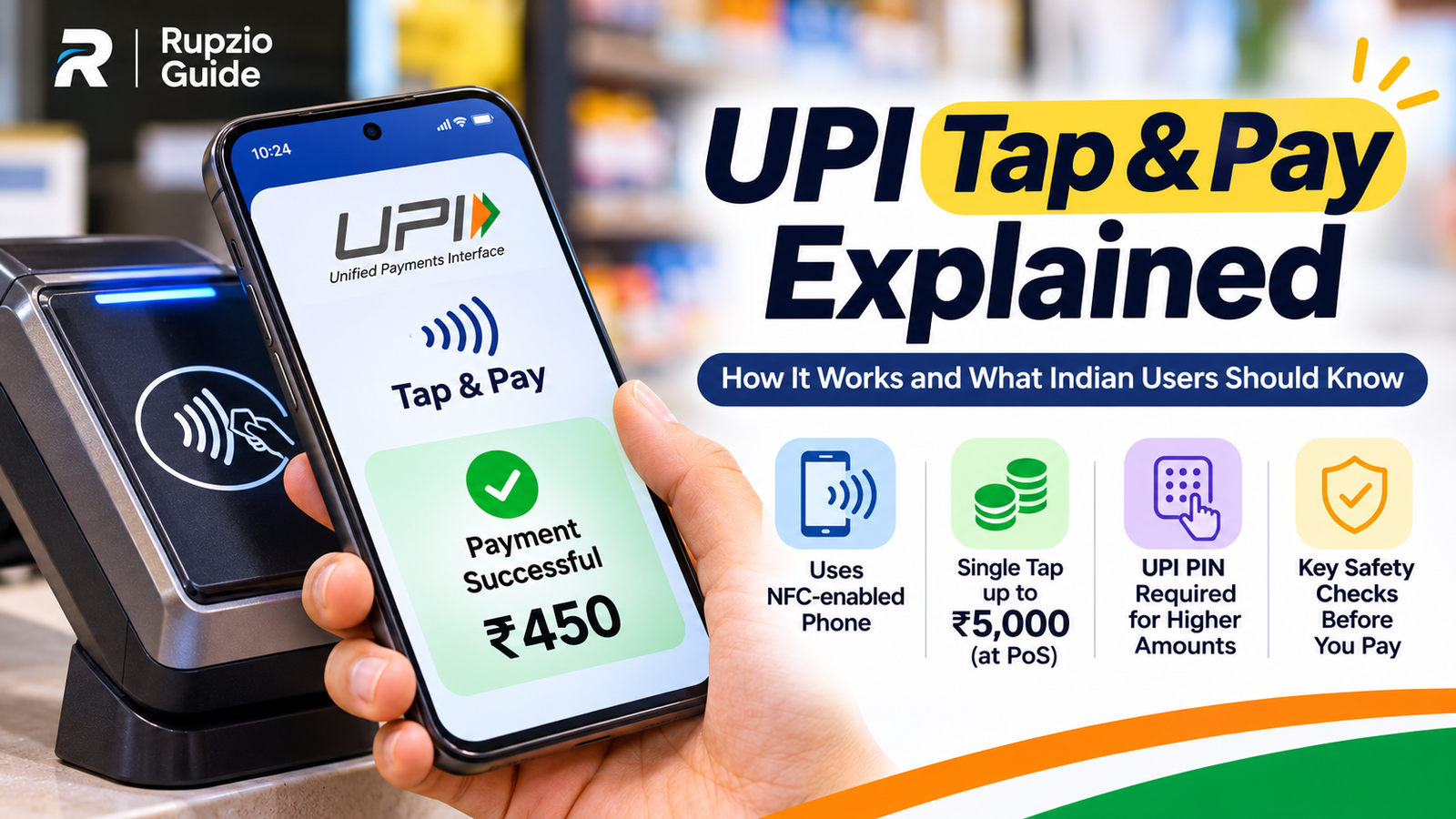
Instead of opening the camera and scanning a QR code, you may be able to make a payment by tapping an NFC-enabled phone on a compatible payment terminal or UPI Smart QR.
That sounds similar to tapping a contactless debit or credit card, but the payment still uses the UPI system.
There is one important detail to understand before using it:
UPI Tap & Pay can work differently depending on whether you are tapping a PoS terminal or a UPI Smart QR or NFC tag.
The transaction limits and UPI PIN requirements are not exactly the same.
Understanding that difference can prevent confusion at the checkout.
What Is UPI Tap & Pay?
UPI Tap & Pay is a contactless way to initiate a UPI payment using Near Field Communication, commonly called NFC.
NFC allows two compatible devices to communicate when they are brought very close together.
With UPI Tap & Pay, your phone can exchange the required payment information with a compatible PoS terminal, UPI Smart QR or NFC tag.
You do not need to type the merchant’s UPI ID manually.
You may not need to scan a QR code either.
Instead, you unlock the phone and tap it on the supported payment point.
The exact steps depend on the type of Tap & Pay transaction you are making.
What Do You Need to Use UPI Tap & Pay?
The first requirement is an NFC-enabled smartphone.
If your phone does not support NFC, the Tap & Pay feature cannot work in the normal way.
You also need:
- a UPI app that supports Tap & Pay;
- an eligible bank account linked to that app;
- NFC enabled on the phone;
- and a merchant payment point that supports UPI Tap & Pay.
Your app may also ask you to select it as the default NFC payment application.
Availability can differ between phones, banks and UPI apps.
So if you do not see Tap & Pay inside your app, it does not automatically mean something is wrong with your UPI account.
The feature may simply not be available for your current app, phone or bank combination.
How Do You Activate UPI Tap & Pay?
The exact screen may look different depending on your UPI app.
In general, the process may involve:
- opening your UPI app;
- selecting Tap & Pay;
- reviewing the terms and feature information;
- choosing an eligible linked bank account;
- authenticating the setup using your UPI PIN;
- enabling NFC on your phone;
- and selecting the required NFC payment settings if your phone asks for them.
Once the setup is complete, the account can be used for supported Tap & Pay transactions.
Do not assume that simply turning on NFC automatically activates UPI Tap & Pay.
The feature normally has to be enabled through a supported UPI app as well.
UPI Tap & Pay on a PoS Terminal
The newer PoS version of UPI Tap & Pay is designed for in-store payments.
Suppose you are buying groceries.
Instead of scanning the merchant’s QR code, the merchant enters the amount on a compatible PoS terminal.
You unlock your NFC-enabled phone and tap it against the terminal.
For supported transactions of up to ₹5,000, the payment can be completed with a single tap without entering a UPI PIN for that payment.
For transactions above ₹5,000, the process changes.
After tapping the phone, you are required to authenticate the transaction using your UPI PIN on the compatible PoS terminal.
This ₹5,000 distinction applies specifically to the current PoS Tap & Pay flow.
It should not be confused with the limits used when tapping a UPI Smart QR.
UPI Tap & Pay on a Smart QR or NFC Tag
UPI Tap & Pay can also work with specially enabled UPI Smart QRs or NFC tags.
This flow is different from the PoS terminal version.
You normally open your UPI app, select Tap & Pay and bring the phone close to the supported Smart QR or tag.
For amounts up to ₹1,000, UPI Lite may be used if it is enabled.
If UPI Lite is not used, the payment can come from your linked bank account and may require your UPI PIN.
For amounts above ₹1,000, the payment continues through the linked bank account and requires your UPI PIN.
This is why you should not assume that every UPI Tap & Pay transaction has the same PIN-free limit.
The payment point matters.
If you are unfamiliar with UPI Lite, our UPI Lite explained guide covers how its balance and payment limits work.
Is UPI Tap & Pay the Same as Contactless Card Payment?
They may look similar from the customer’s point of view.
In both cases, you bring a device close to a compatible terminal.
But they are not the same payment system.
A contactless card payment normally uses your debit or credit card network.
UPI Tap & Pay uses UPI and a supported account linked through your UPI app.
So seeing the contactless symbol on a terminal does not automatically mean every contactless payment works through UPI.
The merchant terminal, your UPI app and your device must support the UPI Tap & Pay flow.
Do You Need to Open the UPI App Every Time?
That depends on the payment flow and the setup supported by your phone and UPI app.
For PoS Tap & Pay, current NPCI instructions describe unlocking the NFC-enabled phone and tapping it on the compatible terminal.
For a UPI Smart QR or tag, you may need to open the UPI app and select Tap & Pay before tapping.
Do not rely on one app’s experience as a rule for every other UPI app.
The interface and steps may differ.
Follow what the official payment app shows on your own phone.
Do You Need a UPI PIN?
Sometimes.
This is one of the easiest parts of UPI Tap & Pay to misunderstand.
For the current PoS Tap & Pay flow:
- up to ₹5,000 can be completed with a single tap on a supported terminal;
- above ₹5,000 requires UPI PIN authentication.
For Tap & Pay using a Smart QR or NFC tag:
- up to ₹1,000 may use UPI Lite if enabled;
- otherwise the linked bank account can require a UPI PIN;
- above ₹1,000 requires UPI PIN authentication through the linked account.
Your UPI PIN remains sensitive even when you use a payment method that does not ask for it on every transaction.
Never tell the PIN to another person.
Our UPI PIN vs OTP guide explains why these security codes should not be shared and how their purposes differ.
Does Tap & Pay Mean You Can Tap Any QR Code?
No.
A normal printed UPI QR code does not automatically support NFC.
Tap & Pay requires a compatible payment point.
For a Smart QR or NFC-enabled payment tag, the payment point contains the NFC capability needed for the phone to communicate with it.
Look for the contactless or Tap & Pay symbol on supported merchant equipment.
If you are unsure, you can still use the normal QR scanning method if the merchant supports it.
You do not need to use Tap & Pay just because your phone supports NFC.
Check the Amount Before You Tap
Speed is useful, but it should not replace basic payment checks.
Before tapping your phone on a PoS terminal, look at the amount the merchant has entered.
For example, if your purchase is ₹450, make sure the terminal does not show ₹4,500.
The difference may be easy to miss when a queue is moving quickly.
Do not tap first and check later.
The same principle applies to other UPI payments.
Confirm the amount before authorising the transaction.
Check the Merchant Details
You should also pay attention to who you are paying.
If your UPI app shows the merchant or recipient information, check that it makes sense for the place where you are making the purchase.
A payment at a supermarket should not unexpectedly show an unrelated individual or business.
Small differences in a merchant’s displayed name may sometimes occur, but anything clearly unexpected deserves a closer look.
If you are uncertain about the recipient information, stop before completing the payment.
Our guide on how to verify a UPI ID before sending money explains additional checks that can be useful when recipient details are unclear.
What If the Tap Does Not Work?
Do not keep tapping the phone repeatedly without checking what happened.
First look at your phone and the terminal.
The payment may have:
- succeeded;
- failed;
- remained pending;
- or not started at all.
Check the transaction history in your UPI app before trying again.
This is especially important if the terminal displays an error after you tap.
An error on one screen does not always tell you the final transaction status.
If the payment already succeeded and you immediately repeat it, you could accidentally pay twice.
When the status is unclear, check your UPI app before making another attempt.
What If the Merchant Says the Payment Was Not Received?
Start with your own transaction history.
If your app shows the transaction as successful, save the transaction details.
Look for information such as:
- amount;
- date and time;
- merchant or recipient;
- transaction reference;
- and final payment status.
Do not make another payment simply because someone says the first one did not arrive.
Ask the merchant to check their own payment system.
If necessary, use the official support channel in your UPI app or bank.
Do not search randomly for customer-care numbers posted in comments or messaging groups.
Is UPI Tap & Pay Safe?
UPI Tap & Pay is designed to provide a quicker contactless payment experience while remaining within the UPI ecosystem.
But convenience does not remove the need for normal payment safety.
You should still:
- keep your phone locked;
- check the amount;
- check the merchant;
- use a supported UPI app;
- avoid sharing your UPI PIN or OTP;
- and review the payment result before retrying a transaction.
The important point is that tapping is only the method used to initiate the payment.
It does not make every payment automatically safe.
You still need to know what you are paying for and who is receiving the money.
What Happens if Your Phone Is Lost?
An NFC-enabled phone that is used for payments should have a secure screen lock.
Use a PIN, password, fingerprint, face unlock or another secure method supported by your device.
If the phone is lost, take the same situation seriously as you would with other UPI-enabled devices.
Contact the relevant mobile provider, bank or payment service where necessary and secure access to your accounts.
Do not assume that UPI Tap & Pay alone creates the risk.
The larger concern is an unauthorised person gaining access to a phone that contains payment apps and banking information.
Regular device security remains important.
Be Careful With Requests to “Enable Tap & Pay”
A scammer may use a new payment feature as an excuse to ask for private information.
Someone may call and say:
“Your Tap & Pay must be activated.”
Or:
“Tell me your OTP so I can enable NFC payments.”
Do not provide your UPI PIN, OTP, banking password or card PIN to another person.
UPI Tap & Pay should be configured through your own supported UPI app and device settings.
You do not need to give a stranger your authentication details just because they claim to be helping you activate the feature.
If something looks suspicious, use your bank or payment app’s official support channel.
Our UPI scam warning for Indian users guide covers other common warning signs around digital payments.
Is UPI Tap & Pay the Same as UPI Lite?
No.
UPI Lite and UPI Tap & Pay solve different problems.
UPI Lite is designed for small-value payments using a separate Lite balance.
UPI Tap & Pay lets you initiate a payment using NFC.
The two features can work together in some Smart QR or NFC-tag transactions.
For example, a Tap & Pay transaction of up to ₹1,000 may use UPI Lite if you have it enabled.
But UPI Tap & Pay does not automatically mean the payment is coming from your UPI Lite balance.
The newer PoS Tap & Pay flow can also operate using an eligible linked UPI account.
So think of them separately:
UPI Lite relates mainly to how eligible small payments are funded.
UPI Tap & Pay relates mainly to how you initiate the payment at the merchant.
Is UPI Tap & Pay Better Than Scan & Pay?
Not necessarily.
It is another payment option.
Tap & Pay may be more convenient when:
- your phone supports NFC;
- the merchant has compatible equipment;
- you want a quick in-store payment;
- and you are comfortable using the feature.
Scan & Pay may still be easier when:
- the merchant only has a normal QR code;
- Tap & Pay is not supported by your app;
- your phone does not have NFC;
- or you simply prefer the familiar QR payment process.
Both methods can continue to exist together.
There is no need to change your normal payment habit if Tap & Pay does not make the transaction easier for you.
Can Every UPI App Use Tap & Pay?
Support can vary.
UPI is a common payment system, but individual apps and banks may introduce features at different times.
Your phone also needs the required NFC capability.
So do not assume that a feature shown in another person’s UPI app should immediately appear in yours.
Check your own app for a Tap & Pay option and keep the app updated through an official app store.
Avoid downloading modified payment apps or installation files from unknown websites.
What Should You Check Before Using UPI Tap & Pay?
Before using the feature, ask yourself:
- Does my phone support NFC?
- Does my UPI app support Tap & Pay?
- Is the correct bank account linked?
- Is the merchant terminal or Smart QR compatible?
- Does the amount shown match what I am buying?
- Do I recognise the merchant or recipient?
- Is this a PoS Tap & Pay transaction or a Smart QR/Tag transaction?
- Do I understand whether a UPI PIN is required?
- Is my phone protected with a secure screen lock?
- If the payment fails, will I check the transaction status before trying again?
Those checks take only a few seconds.
They are more useful than assuming every contactless payment works in exactly the same way.
What to Remember About UPI Tap & Pay
UPI Tap & Pay gives Indian users another way to make UPI payments at supported merchant locations.
Instead of always scanning a QR code, an NFC-enabled phone can be tapped on a compatible PoS terminal or UPI Smart QR.
The important part is understanding which type of Tap & Pay transaction you are making.
On supported PoS terminals, current UPI Tap & Pay rules allow single-tap payments up to ₹5,000, while higher amounts require UPI PIN authentication.
Tap & Pay through a Smart QR or NFC tag follows a different flow, including the possible use of UPI Lite for eligible small payments.
Before tapping, check the amount and merchant.
After tapping, check the payment result.
And regardless of the payment method, keep your UPI PIN and OTP private.