How to Check a UPI Payment Request Before You Approve It
A UPI payment request can be completely normal. You may receive one when paying an online merchant, settling a bill, or sending money to someone who has requested payment.
However, payment requests can also be used to confuse users into approving transactions they did not intend to make.
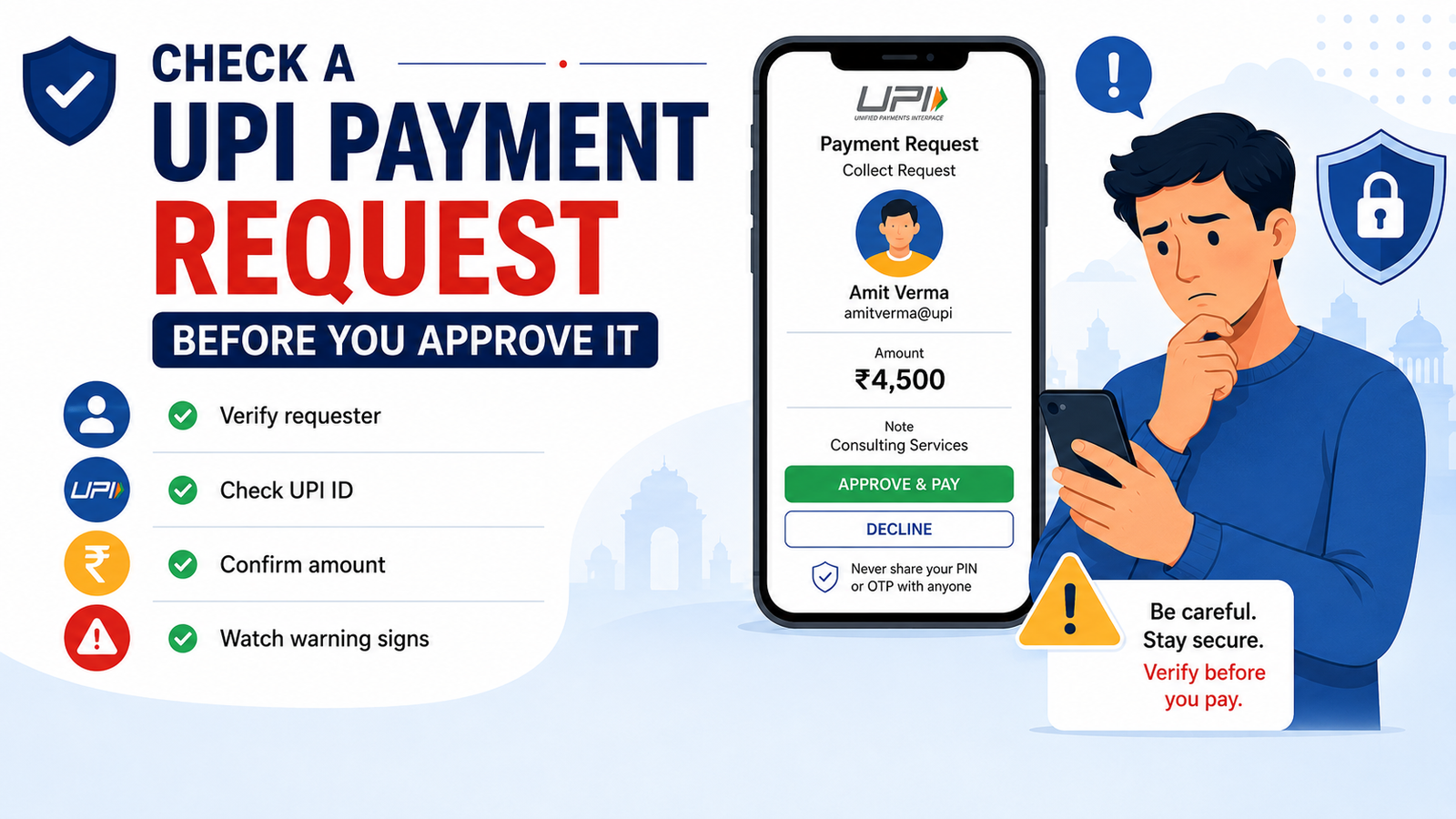
Before entering your UPI PIN, take a few seconds to check who is requesting the money, how much they are requesting, and why the request appeared.
A careful review can help you avoid unnecessary payments and recognise suspicious activity before money leaves your account.
What Is a UPI Payment Request?
A UPI payment request, sometimes called a collect request, asks you to approve a payment from your bank account.
For example, when shopping online, a merchant may send a payment request to your UPI app after you select UPI at checkout.
You may then open your payment app, check the merchant name and amount, and approve the transaction using your UPI PIN.
That can be a normal payment process.
The problem begins when someone sends an unexpected request and tells you that approving it will help you receive money.
That should make you stop and check carefully.
Check Who Is Requesting the Money
The first thing to verify is the requester.
Look carefully at the:
- displayed name;
- UPI ID;
- merchant name;
- payment amount;
- payment note or description.
Do not approve a request only because the displayed name looks familiar.
If you are paying another person, compare the UPI ID with the information they gave you.
If you are paying a business, make sure the merchant name matches the company or service you are actually using.
If something looks different from what you expected, do not enter your UPI PIN yet.
Ask Yourself: Was I Expecting This Request?
Context is one of the easiest ways to identify suspicious requests.
Imagine that you order food for ₹600 and choose UPI during checkout. A payment request for around ₹600 from the merchant may be expected.
But if you suddenly receive a ₹6,000 payment request from an unknown person while you are not making any purchase, the situation is very different.
Before approving a request, ask yourself:
- Did I just make a purchase?
- Did I agree to pay this person?
- Does the amount match what I expected?
- Was I expecting to receive money instead?
- Did someone call or message me just before the request appeared?
An unexpected payment request is not automatically a scam, but it should never be approved without verification.
Check the Amount Carefully
Always read the full amount before approving.
Small differences can become expensive mistakes.
For example:
₹500 and ₹5,000 can look similar when someone is rushing.
The same applies to:
₹1,250 and ₹12,500.
A scammer may rely on you acting quickly without checking every digit.
If the payment request is related to an online purchase, compare the amount with the checkout page, invoice, or order confirmation.
If the numbers do not match, stop the payment.
Understand What Your UPI PIN Is Doing
Your UPI PIN is used to authorise payments from your bank account.
It should remain private.
Never share your UPI PIN with:
- customer-support callers;
- merchants;
- strangers;
- friends asking to “help” with a transaction;
- people claiming to represent your bank.
You should also understand why your app is asking you to enter the PIN.
Be suspicious if someone tells you:
“Enter your PIN to receive your refund.”
“Approve this request to verify your account.”
“This is only a test transaction.”
“Accept this and the money will come back.”
“Your bank needs this verification.”
Do not enter your PIN because someone on a call or chat tells you to do so.
Read what the UPI app itself says.
Be Careful When Someone Says You Must Approve to Receive Money
This is one of the most important warning signs.
A person may say they are sending money to you.
Instead, they send a payment request.
They may then tell you to approve the request and enter your UPI PIN.
Before doing anything, look at the words on your screen.
You may see:
- Pay;
- Approve;
- Collect request;
- Requested amount;
- Proceed.
Those words usually indicate that you are being asked to authorise a payment.
If you expected to receive money, but the app is asking you to approve a payment, stop.
Do not continue until you understand exactly what the transaction will do.
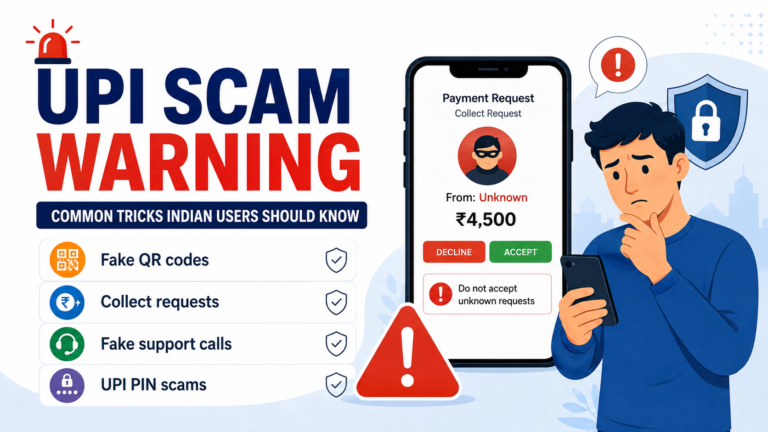
Our UPI scam warning guide explains several similar tricks involving suspicious payment requests, QR codes, fake support calls, and UPI PIN scams.
Verify Merchant Payment Requests
Not every collect request is dangerous.
Some legitimate online payments may use payment requests.
The important thing is to verify the context.
Before approving a merchant request, check:
- You actually started the purchase.
- The merchant name looks correct.
- The amount matches your order.
- The request appeared shortly after checkout.
- You are using the official website or app.
If one of these details looks wrong, return to the official merchant app or website instead of approving the request immediately.
Watch for Pressure and Urgency
Scammers often want users to act before they have time to think.
Someone may say:
“Approve it in the next 30 seconds.”
“Your refund will expire.”
“Your account will be blocked.”
“Do not disconnect the call.”
“You must enter your PIN now.”
Urgency alone does not prove that something is a scam.
However, urgency combined with an unknown requester, unusual amount, suspicious phone call, or request for private information should make you stop immediately.
A legitimate transaction should still make sense when you slow down and check the details.
Be Careful With QR Codes
QR codes are convenient, but they should still be checked before payment.
Do not scan a QR code simply because someone says it will allow you to receive a refund, prize, cashback, or incoming payment.
After scanning a code, check the receiver name and amount before entering your UPI PIN.
If the screen shows that you are about to send money when you expected to receive it, cancel the transaction.
The words shown inside your UPI app are more important than what another person tells you.
Do Not Share Sensitive Screenshots
A transaction screenshot can contain information that should remain private.
It may show:
- UPI IDs;
- transaction references;
- names;
- payment amounts;
- QR codes;
- account-related information.
Only provide transaction details through trusted official support channels when necessary.
Never send screenshots containing your:
- UPI PIN;
- OTP;
- banking password;
- card PIN;
- login credentials.
If someone says they need your PIN or OTP to solve the problem, stop communicating with them.
What If You Accidentally Approve the Request?
Act quickly.
First, open your UPI app and check the transaction status.
It may show:
- successful;
- pending;
- failed.
Save the transaction details, including:
- transaction ID;
- UTR or reference number;
- amount;
- recipient details;
- screenshots;
- date and time.
Then contact your UPI app or bank through an official support channel.
Do not search randomly for customer-care numbers and trust the first number you find online.
Use the official bank website, official banking app, or official payment app.
If you believe you were tricked into approving the payment, report the suspected fraud as quickly as possible through your bank and the appropriate cyber-fraud reporting channels. For suspected financial cyber fraud in India, you can also report the incident through the National Cyber Crime Reporting Portal or call the helpline number 1930.
If the payment was accidentally sent to an unintended recipient, read our guide about UPI payments sent to the wrong person.
What If the Payment Request Is Still Pending?
You do not need to approve a request simply because it is waiting inside your app.
If you do not recognise the requester, leave the request unapproved while you investigate.
Some payment requests may eventually expire.
Do not allow an expiry timer or urgent message to pressure you into approving something you do not understand.
If you are dealing with a payment that has already failed or remains pending, read our guide about UPI payments that fail or remain pending.
A Quick Safety Check Before You Tap Approve
Before approving a UPI payment request, ask yourself these questions:
- Was I expecting this payment request?
- Do I recognise the person or merchant?
- Does the UPI ID look correct?
- Is the amount exactly what I expected?
- Am I actually trying to send money?
- Is someone telling me to approve the request to receive money?
- Am I being pressured to act immediately?
- Has anyone asked for my UPI PIN or OTP?
- Did the request appear after a suspicious call or message?
- Can I verify the transaction independently?
If several details do not make sense, do not approve the request.
Taking a few extra seconds is better than approving a transaction you did not intend to make.
What to Remember Before Approving a UPI Request
A UPI payment request can be a normal payment feature, but every request should still be checked carefully.
Verify the requester, UPI ID, amount, and reason for payment before entering your UPI PIN.
Do not approve a request simply because someone tells you that it is necessary to receive a refund, cashback, reward, or incoming payment.
When something feels unclear, stop the transaction and verify it independently using the official app, merchant, or bank.
For a broader overview of common fraud techniques, read our UPI scam warning for Indian users.
You can also review our guide to safe digital payment methods for Indian users before making your next online payment.
Rupzio Guide provides simple educational information to help Indian users understand digital payments and make safer online decisions.