How to Check a USDT TRC20 Transaction on TRONSCAN
You can check a USDT TRC20 transaction on TRONSCAN after sending USDT through the TRON network.
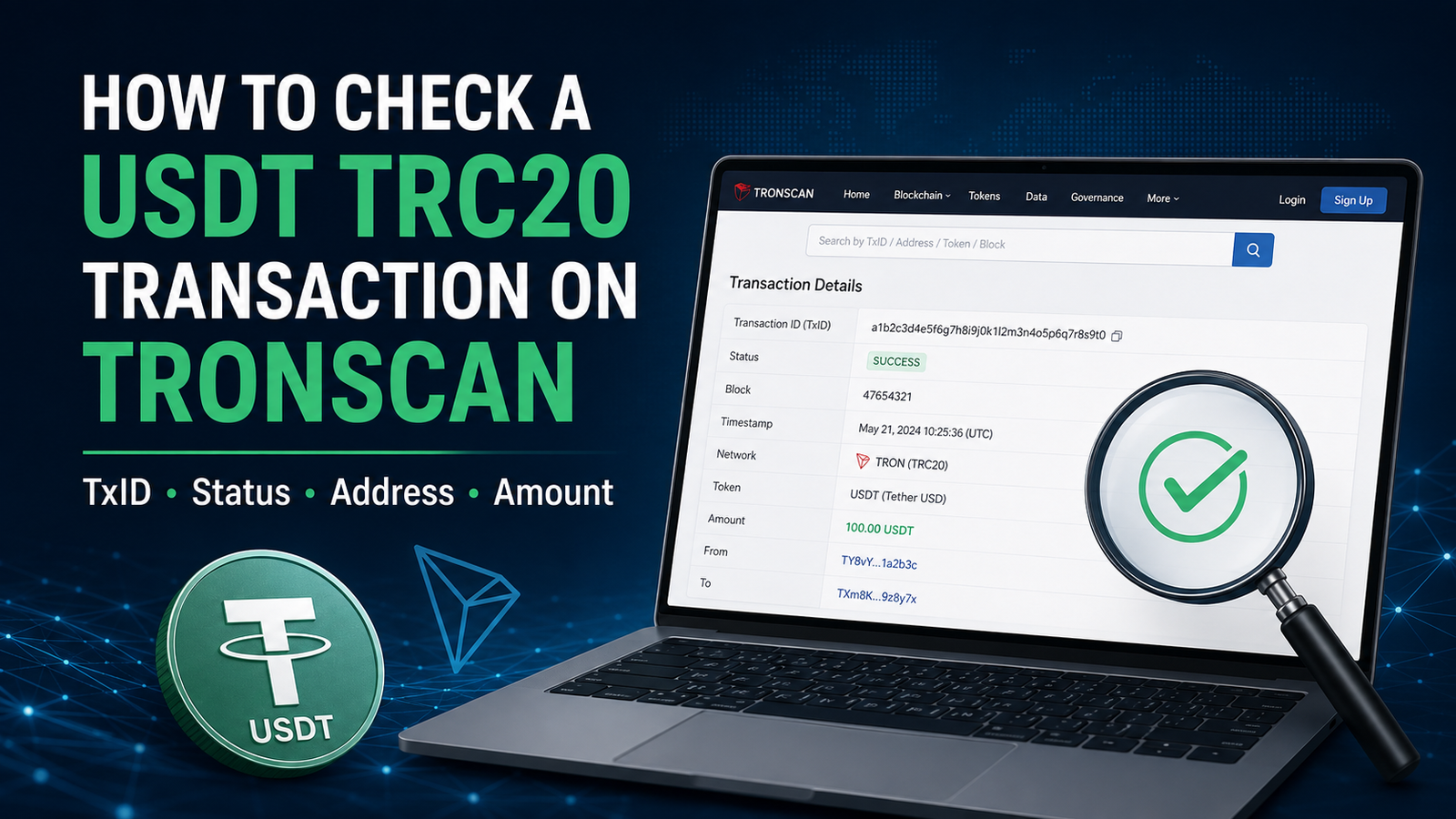
If you want to track a USDT TRC20 transfer, you can search its TxID on TRONSCAN to check the transaction status, receiving address and amount.
Maybe your wallet says the payment was sent, but the recipient says nothing has arrived.
Or perhaps you simply want to confirm the transaction before closing the wallet.
One useful way to do this is to check the transaction on TRONSCAN.
TRONSCAN is a blockchain explorer for the TRON network. It allows users to search and view transactions recorded on TRON, including transaction details identified by a transaction hash.
You do not need to understand every technical field on the page.
For most users, a few basic checks are enough.
First, Make Sure You Used the TRON Network
Before opening TRONSCAN, check which network you used to send the USDT.
USDT can exist on different blockchain networks. Tether currently lists TRC20 through the TRON blockchain among its supported USD₮ protocols.
If you sent USDT TRC20, the transaction belongs to the TRON network.
That is the type of transaction we are checking in this guide.
If you sent USDT through another network, such as ERC20 on Ethereum, you should use an explorer that supports that network instead.
If you are not sure which network you used, our USDT TRC20 vs ERC20 guide explains the difference before you continue.
Step 1: Find the Transaction in Your Wallet or Exchange
Start with the wallet or exchange that you used to send USDT.
Open the transaction history or withdrawal history.
Look for the USDT transfer you want to check.
Depending on the platform, you may see information such as:
- amount,
- receiving address,
- network,
- status,
- transaction hash,
- TxID.
The layout will be different from one wallet or exchange to another.
The important thing is to find the correct transaction.
Do not choose another transfer just because the amount looks similar.
Step 2: Copy the TxID or Transaction Hash
Open the transaction details.
Look for a field called:
TxID
or:
Transaction Hash
On TRON, the transaction ID is also referred to as the transaction hash in the official developer documentation.
Copy the complete TxID.
It is better to use the copy button if your wallet provides one instead of typing the hash manually.
A transaction hash is long, and one incorrect character can lead you to the wrong result or no result at all.
If you want a simpler explanation of what this long code means, read our USDT transaction hash (TxID) guide.
Step 3: Open TRONSCAN
Open TRONSCAN in your browser.
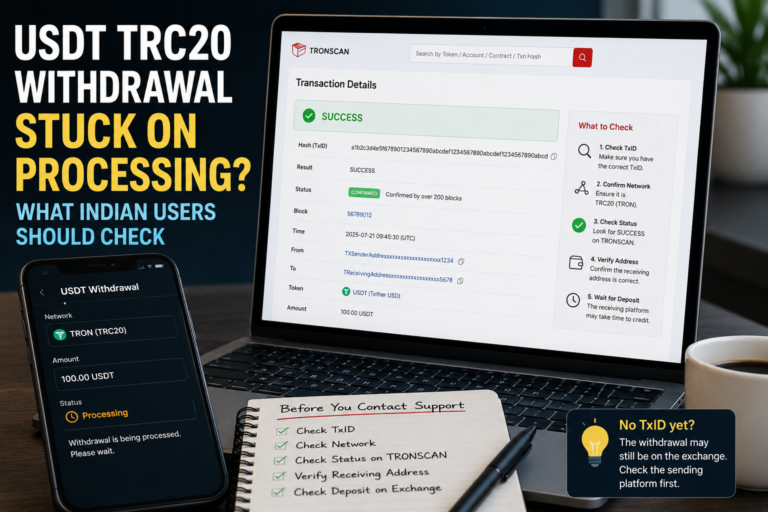
TRONSCAN provides transaction browsing and search tools for the TRON blockchain. Its transaction pages include transaction hashes, block information, addresses, tokens and transaction results.
Be careful when opening blockchain tools from random search results or links sent by strangers.
Check that you are using the service you intended to use.
You should never need to enter your wallet recovery phrase or private key just to look up a transaction.
Step 4: Search for the TxID
Find the search area on TRONSCAN.
Paste the TxID you copied from your wallet or exchange.
Then search for it.
TRONSCAN supports retrieving transaction details using the transaction hash.
If the transaction has been recorded on the TRON blockchain, you should be able to open its transaction details.
Now the important part begins.
You do not need to read every number on the page.
Focus on the information that helps confirm your payment.
Step 5: Check the Transaction Status
First, look at the transaction result or status.
This helps you understand whether the transaction was processed successfully on the blockchain.
TRON’s transaction-information tools include transaction execution information, while TRONSCAN’s transaction-detail service is designed for transaction status tracking.
If the result shows that the transaction was successful, continue checking the address and amount.
Do not stop at the word Success.
A successful blockchain transaction can still be a problem if the money was sent to the wrong address.
Step 6: Check the Receiving Address
Next, look at the receiving address.
Compare it with the address that you intended to pay.
Crypto addresses can be long, so check carefully.
Do not simply look at one or two characters and assume everything matches.
If possible, compare the address with the original deposit or receiving address that you copied before sending.
This step is important because TRONSCAN can show what happened on the blockchain, but it cannot decide whether you intended to send the payment to that address.
Step 7: Check the USDT Amount
Now check the token transfer amount.
If you intended to send 100 USDT, confirm that the transaction information shows the amount you expected.
TRONSCAN provides transaction information and transfer records for TRC20 tokens on the TRON network.
Check both:
- the token,
- the amount.
Do not assume every token shown in a wallet is automatically the same asset.
For a normal USDT TRC20 transfer, you want the transaction information to match the transfer you actually made.
Step 8: Check That You Are Looking at the Correct Transaction
Sometimes users make several payments close together.
For example:
- 50 USDT in the morning,
- another 50 USDT later,
- then another payment the next day.
If you search the wrong TxID, you may think the blockchain information is incorrect when you are actually looking at a different transaction.
Compare:
- amount,
- receiving address,
- approximate time,
- TxID.
This is especially useful when two transactions have the same amount.
What If TRONSCAN Shows Success but the Recipient Says Nothing Arrived?
This situation can happen when the receiving side is an exchange or another platform.
A successful blockchain transaction means the blockchain has processed that transaction.
It does not necessarily mean that an exchange or platform has already updated the user’s internal account balance.
Those are separate systems.
If TRONSCAN shows a successful transaction, check:
- Is the receiving address correct?
- Is the amount correct?
- Did you use TRC20?
- Does the receiving platform support USDT on TRON?
- Does the receiving platform show a pending deposit?
If everything on the blockchain looks correct but the platform balance still has not changed, you may need to contact the platform through its official support channel.
Keep the TxID available.
Our USDT transfer pending guide covers this situation in more detail.
What If TRONSCAN Cannot Find the TxID?
Do not immediately assume the money is lost.
First, check whether you copied the correct TxID.
Copy it again directly from the wallet or exchange.
Then confirm that the transaction was actually sent through TRC20 on TRON.
A TRON transaction ID is a hash associated with a TRON transaction, and TRON’s APIs can query a transaction by this ID.
If the exchange still says that the withdrawal is Processing and there is no TxID yet, the withdrawal may still be inside the exchange’s own processing system.
In that case, there may not yet be a blockchain transaction for you to check.
Avoid sending a second payment simply because the first TxID is not available yet.
What Does the Block Number Mean?
You may see a block number in the transaction information.
A blockchain groups transactions into blocks.
TRON’s transaction information includes the block number and block timestamp associated with a transaction.
For most everyday users, you do not need to analyse the block itself.
The important point is that seeing the transaction included in blockchain data helps confirm that you are looking at an on-chain transaction record.
What About Confirmations?
Blockchain explorers may also show information related to confirmation or finality.
TRONSCAN’s transaction-detail information can include confirmation-related data, and its transaction lookup is used for status tracking.
For a normal user, you do not need to become an expert in confirmation mechanics.
If the receiving exchange requires additional processing before crediting the deposit, check the exchange’s own deposit status as well.
The blockchain record and the exchange balance are not always updated at exactly the same moment.
Do Not Confuse the TxID With the Wallet Address
A common mistake is copying the receiving address and searching it as if it were the transaction hash.
They are different.
The wallet address identifies an account or destination on the blockchain.
The TxID identifies one particular transaction.
A wallet can receive many transactions.
Each transaction can have its own TxID.
So when you want to confirm one specific USDT payment, open that transaction and use its TxID.
Do Not Send the Payment Again Too Quickly
Suppose you send 100 USDT.
The recipient says:
“I haven’t received it.”
Your first reaction should not be to immediately send another 100 USDT.
Check the original transaction first.
If TRONSCAN shows that the first payment was already successful and the address is correct, sending another payment could create a duplicate transfer.
This is one reason blockchain explorers are useful.
They give you another way to check what happened before taking the next action.
A Screenshot Is Not the Same as a Blockchain Check
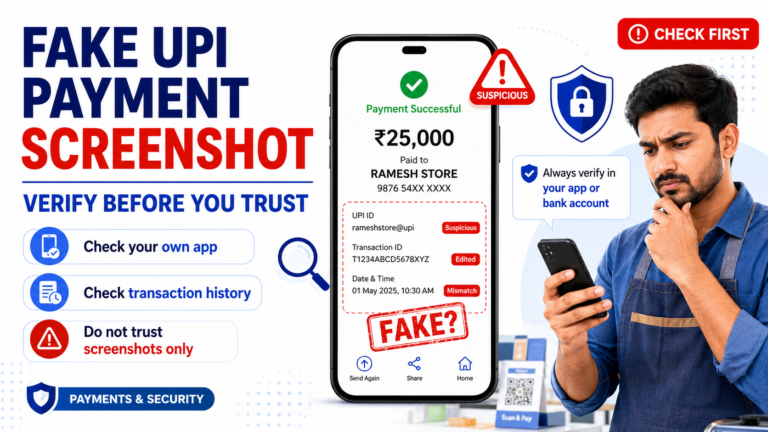
A screenshot saying Payment Successful can be useful, but it is not the same as checking the blockchain transaction.
Screenshots can be incomplete or may not show the details you need.
If you have the TxID, check the transaction itself.
Compare:
- status,
- address,
- amount,
- network.
This gives you more useful information than relying on one screenshot alone.
Be Careful With Fake Transaction Checkers
Crypto-related problems often attract scammers.
Someone may tell you that they can:
- recover your transaction,
- unlock your USDT,
- speed up your transfer,
- or verify your payment.
Then they ask for your seed phrase or private key.
Do not provide it.
Checking a transaction by hash does not require giving someone your wallet recovery phrase.
TRONSCAN and TRON transaction lookup tools work with transaction identifiers; your private wallet credentials are not needed simply to look up a blockchain transaction.
Also be careful with fake customer care numbers or links posted in random comments and messaging groups.
What Should You Save After a USDT Transfer?
You do not need to save everything forever.
But until an important payment is fully settled, it can be useful to keep:
- TxID,
- network,
- amount,
- receiving address,
- approximate time.
If a problem occurs, these details can make it easier to understand what happened.
Do not include sensitive wallet credentials in your notes.
Your recovery phrase and private key are different from normal transaction information and should remain protected.
Quick USDT TRC20 Transaction Check on TRONSCAN
After sending USDT TRC20, the basic process is simple:
- Open your wallet or exchange.
- Find the USDT transaction.
- Copy the TxID.
- Open TRONSCAN.
- Search the TxID.
- Check the transaction result.
- Check the receiving address.
- Check the USDT amount.
If those details are correct, you have a much clearer picture of what happened on the TRON blockchain.
If the blockchain transaction is successful but the receiving platform has not credited the payment, investigate the receiving side instead of immediately sending another transfer.
And before sending any USDT payment, it is still worth following basic USDT payment safety checks so that the network, address and amount are correct from the beginning.