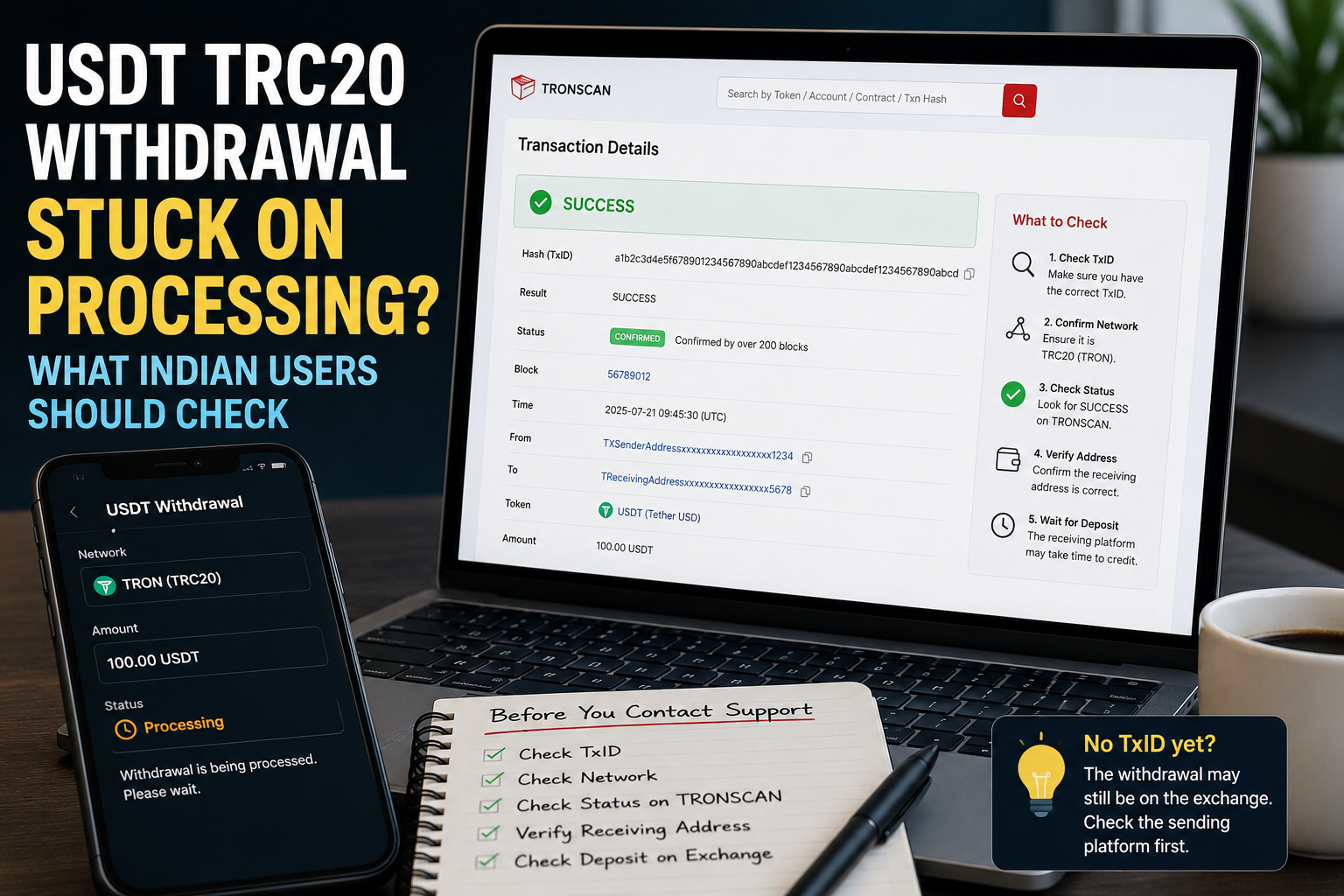
USDT TRC20 Withdrawal Stuck on Processing? What Indian Users Should Check
USDT TRC20 withdrawal stuck on Processing can be confusing, especially when the amount has already been deducted from your available balance.
You may open the withdrawal history again and again.
The status still says:
Processing
There may be no TxID yet.
The receiving wallet also shows nothing.
At this point, it is important to understand where the withdrawal currently stands before assuming that the USDT is lost.
A withdrawal can involve two different stages: processing by the sending platform and processing by the blockchain.
Knowing which stage you are looking at makes the problem much easier to investigate.
What Does “Processing” Mean on a Crypto Withdrawal?
When you request a USDT withdrawal from an exchange or another platform, the USDT does not always appear on the blockchain immediately.
The platform first has to handle the withdrawal request.
Depending on the service, the status may appear as:
- Processing
- Pending
- In Progress
- Under Review
- Awaiting Approval
- or another similar message
The exact wording varies between platforms.
The important question is not only what the status says.
You also need to know whether a blockchain transaction has already been created.
The easiest clue is usually the TxID.
First Check Whether You Have a TxID
Open the withdrawal history on the exchange or wallet that you used.
Select the USDT withdrawal.
Look for something called:
- TxID
- Transaction Hash
- Tx Hash
- Transaction ID
- Blockchain Transaction
If a TxID is available, the withdrawal may already have been sent to the blockchain.
If there is no TxID yet, the withdrawal may still be inside the sending platform’s own processing system.
This difference is important.
A TxID identifies a specific blockchain transaction.
If you are not familiar with it, our USDT transaction hash (TxID) guide explains what the code means and why it is useful.
No TxID Yet? Start With the Sending Platform
Suppose your withdrawal says:
Processing
but there is no transaction hash anywhere.
In this situation, there may not yet be a transaction for TRONSCAN to find.
Refreshing TRONSCAN will not help if nothing has been broadcast to TRON yet.
Instead, check the sending platform’s withdrawal page.
Look for:
- status messages,
- notifications,
- verification requests,
- security warnings,
- maintenance notices,
- or any action the platform asks you to complete.
Do not assume that every delay is caused by the TRON network.
The delay may still be happening before the transaction reaches TRON.
Do Not Search Random TxIDs
When users become impatient, they may search TRONSCAN using:
- their wallet address,
- the receiving address,
- the amount,
- or another transaction they sent earlier.
That can cause more confusion.
A specific withdrawal should be checked using its own transaction identifier once that identifier exists.
Do not copy a TxID from a different transaction simply because the amount looks similar.
Two transfers of 100 USDT are still two completely different blockchain transactions.
What If a TxID Has Appeared?
Once a TxID is available, the situation changes.
Now you have something that can be checked on the blockchain.
For a normal USDT TRC20 withdrawal, the transaction belongs to the TRON network.
Copy the TxID carefully.
Then check it using a TRON blockchain explorer such as TRONSCAN.
Our guide on how to check a USDT TRC20 transaction on TRONSCAN explains the process step by step.
Once you find the transaction, focus on the basic details first.
Check:
- transaction status,
- receiving address,
- token,
- amount,
- and transaction information.
You do not need to understand every technical number displayed on the page.
Processing on an Exchange Is Not the Same as Pending on TRON
This distinction can save a lot of confusion.
Imagine that your exchange says:
Withdrawal Processing
and there is no TxID.
The exchange may still be preparing the withdrawal.
Now imagine that a TxID appears and TRONSCAN can find the transaction.
At that point, the transaction has reached the blockchain side of the process.
These are not exactly the same situation.
One happens inside the sending service.
The other can be checked through the blockchain.
That is why the TxID is such an important dividing line when troubleshooting a crypto withdrawal.
What Should You Check on TRONSCAN?
Once the transaction can be found, start with the status.
Then compare the receiving address.
Make sure it is the address that you intended to use.
Next, check the token and amount.
For example, if you intended to send:
100 USDT
make sure the transaction information corresponds to the expected USDT transfer.
Also confirm that you are looking at the correct transaction.
If you made several transfers close together, the TxIDs will be different.
Do not rely only on the amount.
What If the Transaction Is Still Waiting on the Blockchain?
A transaction that has already reached the blockchain may still need time before it reaches a more final state.
This is different from an exchange that has not yet created a blockchain transaction.
If the transaction exists on TRONSCAN, monitor the transaction itself rather than repeatedly creating new withdrawals.
Our USDT confirmations guide explains the difference between a transaction appearing on the blockchain and a receiving platform deciding that it is ready to credit.
You generally do not need to count every block manually.
For most users, the more useful questions are:
Has the transaction been recorded?
What status does it show?
Is the receiving address correct?
And has the receiving platform detected it?
What If TRONSCAN Shows Success?
Suppose your exchange still looks confusing, but TRONSCAN shows that the transaction was successful.
Now check the receiving side.
A successful blockchain transaction tells you that the transaction was processed on that blockchain.
It does not automatically tell you that an exchange or another platform has already updated the user’s internal balance.
The receiving service may have its own deposit process.
Open the receiving wallet or exchange.
Check its deposit history.
The deposit might appear as:
- Pending
- Processing
- Waiting for confirmation
- Under Review
- Completed
or another status depending on the platform.
If the blockchain transaction is successful but the receiving balance is still missing, our USDT TRC20 deposit not showing guide covers that situation in more detail.
Check the Receiving Address Before Blaming the Delay
A delay and a wrong address are very different problems.
Open the original withdrawal details.
Compare the destination address with the address shown by the receiving wallet or exchange.
Crypto addresses are long, so check carefully.
Do not look only at the first character.
If possible, compare several parts of the address or the full address.
If the blockchain shows a successful transaction to a different destination, simply waiting longer will not correct the address.
Confirm That You Used TRC20
Another thing to check is the network.
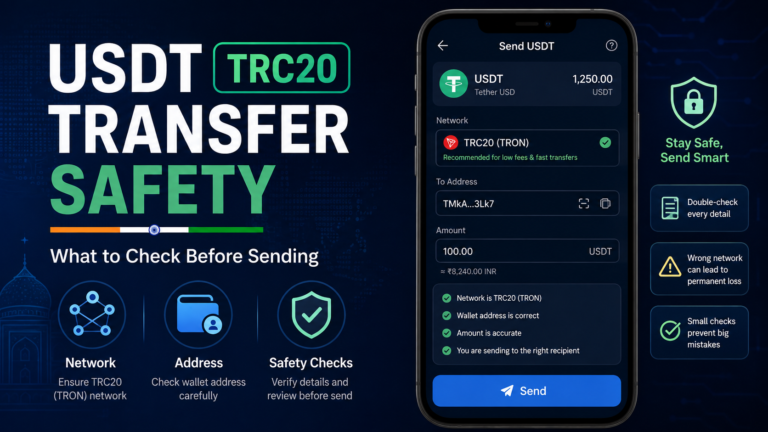
If the withdrawal was intended to be USDT TRC20, confirm that the sending platform actually shows TRC20 or TRON as the selected network.
Do not assume that every USDT transfer uses the same network.
USDT can exist on different blockchain networks.
The receiving side must support the network you used.
If the network itself was wrong, that is a different problem from a normal withdrawal delay.
Our USDT sent to the wrong network guide covers that situation separately.
Why You Should Not Immediately Make Another Withdrawal
Imagine you request a withdrawal of 200 USDT.
The status stays on Processing.
You wait for several minutes.
Nothing appears in the receiving wallet.
You become worried and create another withdrawal for 200 USDT.
Later, both withdrawals complete.
Now you have sent 400 USDT instead of 200 USDT.
This is why a delay should be investigated before repeating the payment.
Check the first withdrawal first.
Ask:
Does it have a TxID?
Has it reached the blockchain?
What status does it show?
Was the destination address correct?
Only after you understand the first withdrawal should you decide what to do next.
Should You Cancel the Withdrawal?
Do not assume that a crypto withdrawal can always be cancelled.
The available options depend on the platform and the current stage of the withdrawal.
If your exchange provides a cancel option, read what the platform says before using it.
If the transaction has already been broadcast to the blockchain, cancellation may no longer work in the same way as cancelling a request that has not been sent.
The important point is to check the actual status instead of guessing.
The Amount Leaving Your Available Balance Does Not Always Mean It Is Already on TRON
This can be confusing.
A platform may reduce the amount available in your account while it prepares a withdrawal.
That alone does not prove that a blockchain transaction already exists.
Again, look for the TxID.
If there is no TxID and the withdrawal is still Processing, investigate the sending platform.
If there is a TxID, move to the blockchain check.
This simple distinction prevents a lot of unnecessary searching.
Do Not Confuse Withdrawal Processing With Deposit Processing
There are two sides to many transfers.
The sending exchange handles a withdrawal.
The receiving exchange handles a deposit.
The blockchain sits between them.
So a transfer may move through something like this:
You request the withdrawal.
The sending exchange processes it.
↓
A blockchain transaction is created.
↓
The transaction is broadcast to TRON.
↓
The blockchain processes the transaction.
↓
The receiving platform detects it.
↓
The receiving platform credits the deposit.
Those stages do not always update at exactly the same moment.
If you know which stage is delayed, you know where to look next.
When Should You Contact the Sending Platform?
The sending exchange is usually the more relevant side when:
- the withdrawal stays on Processing for an unusually long time,
- no TxID has appeared,
- the withdrawal is rejected,
- the withdrawal page shows an error,
- or the platform is asking you to complete an account-related action.
Before contacting support, prepare useful information.
This may include:
- withdrawal time,
- amount,
- token,
- network,
- receiving address,
- withdrawal ID if available,
- and screenshots of the withdrawal status.
Do not send sensitive wallet credentials.
When Does the Receiving Platform Become More Relevant?
The receiving side becomes more relevant when:
- a TxID already exists,
- TRONSCAN can find the transaction,
- the blockchain transaction is successful,
- the receiving address is correct,
- the network is correct,
- but the deposit has not appeared.
In that situation, provide the receiving platform with the TxID.
It gives them a specific blockchain transaction to investigate.
Knowing which side to contact can save a lot of time.
Never Give Support Your Seed Phrase
A real support investigation may need basic transaction information.
They may ask for:
- TxID,
- amount,
- network,
- receiving address,
- withdrawal time.
That is very different from asking for control of your wallet.
Never give someone your:
- seed phrase,
- recovery phrase,
- private key,
- wallet password,
- OTP,
- or screen-sharing access
simply because they claim they can speed up a withdrawal.
A transaction can be checked without giving away your wallet recovery phrase.
Be Careful With “Withdrawal Unlock” Scams
A delayed withdrawal can make people search for fast solutions.
Scammers know this.
You may see messages promising:
“Instant USDT withdrawal release.”
“TRC20 transaction unlock.”
“Pay a small fee to activate the transfer.”
“Send USDT to speed up blockchain confirmation.”
Be careful with claims like these.
Do not send additional crypto to a stranger just because they say your withdrawal needs to be unlocked.
Use the official support channel of the exchange or wallet involved.
What If the Withdrawal Suddenly Changes From Processing to Completed?
That is a good time to check again.
Open the transaction details.
Look for the TxID.
If a TxID has appeared, use it to check the transaction on the correct blockchain explorer.
Then compare:
- transaction status,
- receiving address,
- token,
- amount.
If everything on the blockchain looks correct but the receiving platform still shows nothing, move your investigation to the receiving side.
Do not keep troubleshooting the sending exchange if the blockchain already shows a successful transfer from it.
What If It Changes to Failed or Rejected?
A failed withdrawal request is different from a successful blockchain transaction.
Check the platform’s withdrawal history and any message attached to the failed request.
The USDT may never have been sent to the blockchain.
If there is no blockchain TxID, there may be nothing to search on TRONSCAN.
Follow the platform’s instructions and check whether the balance has returned to an available state before attempting another withdrawal.
Do not assume that a failed platform request and a failed blockchain transaction are the same thing.
Keep the Withdrawal Information Until Everything Is Settled
You do not need to keep every transaction screenshot forever.
But while a withdrawal is still unresolved, keep the useful details.
Save:
- TxID if available,
- withdrawal ID,
- amount,
- network,
- receiving address,
- approximate time,
- relevant screenshots.
This can make a support conversation much easier.
It also helps prevent you from accidentally checking the wrong transaction.
A Quick Way to Work Out Where the Withdrawal Is Stuck
When a USDT TRC20 withdrawal seems stuck, start with one question:
Do I have a TxID?
If the answer is no:
The withdrawal may still be on the sending platform side.
Check the withdrawal status, notifications and official support information.
If the answer is yes:
Check the TxID on TRONSCAN.
If TRONSCAN cannot find it, copy the TxID again carefully and make sure you are checking the correct network.
If TRONSCAN finds the transaction but it is still waiting:
Give the blockchain time to process and monitor the transaction.
If TRONSCAN shows success but the receiving wallet is empty:
Check the destination address and then investigate the receiving platform’s deposit status.
This is much more useful than repeatedly refreshing one screen.
The word “Processing” by itself does not tell you the whole story.
The most useful clue is whether the withdrawal has already become a real blockchain transaction.
Find the TxID first.
Then you will know whether to continue checking the sending exchange, move to TRONSCAN, or investigate the receiving platform.