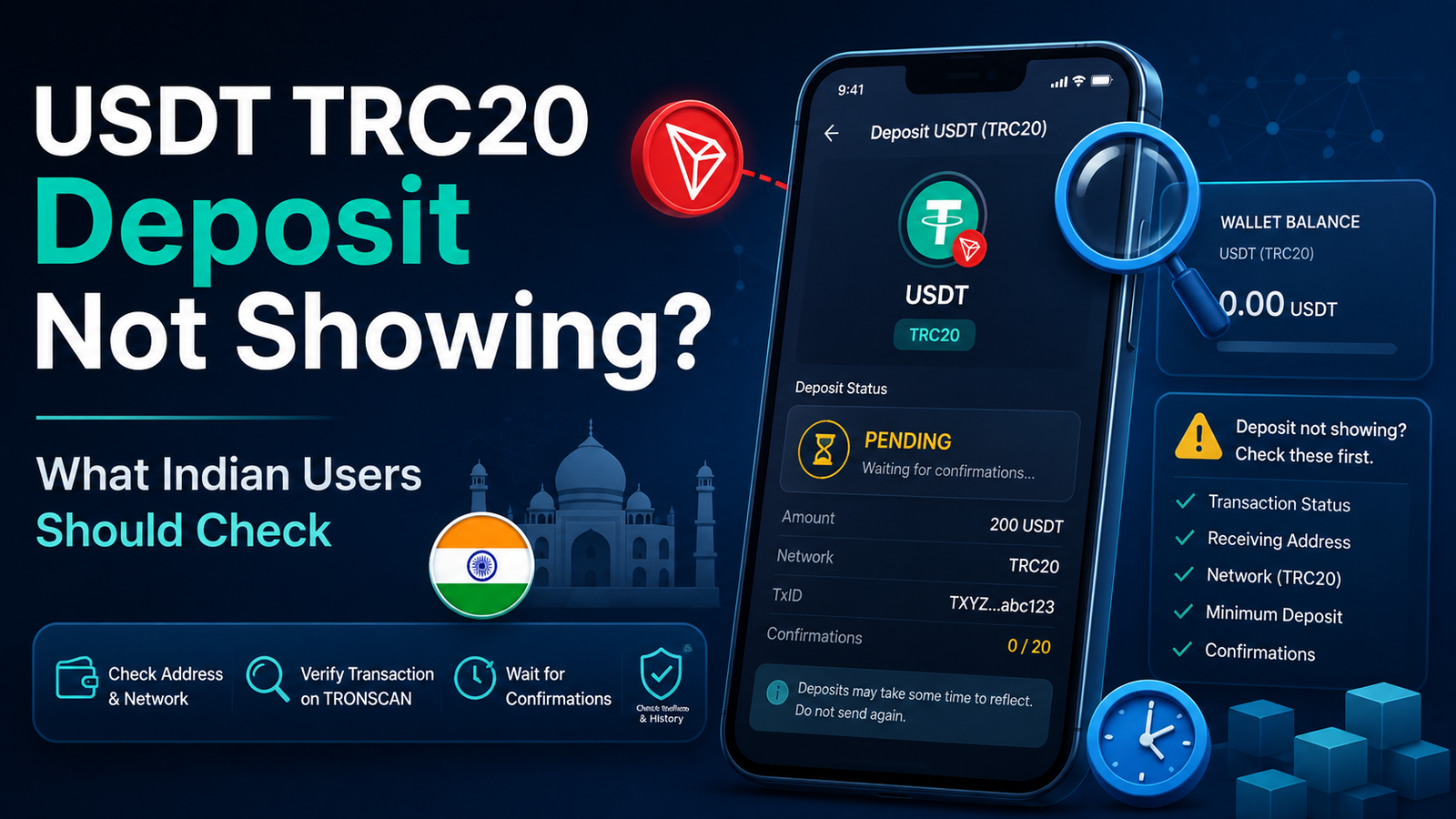
USDT TRC20 Deposit Not Showing? What Indian Users Should Check
USDT TRC20 deposit not showing can be confusing, especially when your sending wallet says the transfer was completed.
You may open TRONSCAN and see the transaction.
The status may even show that it was successful.
But when you check the receiving exchange or platform, the USDT balance is still missing.
This does not automatically mean that the money is lost.
A blockchain transfer and an exchange deposit are two different parts of the process. The TRON network can process the transaction before the receiving platform finishes checking and crediting the deposit.
The best first step is to find out exactly where the transfer currently stands.
First Check the Transaction on TRONSCAN
Start with the transaction itself.
Open the wallet or exchange you used to send the USDT.
Find the transfer and copy its TxID or transaction hash.
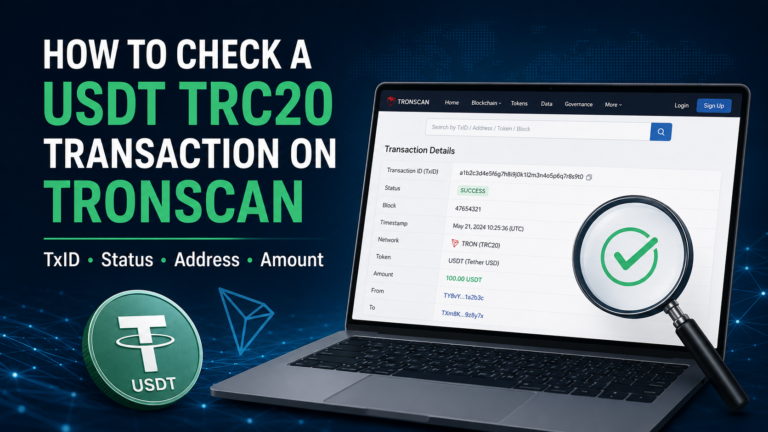
Then check that TxID on TRONSCAN.
TRONSCAN recommends checking the transaction details when a receiving address or exchange account has not received funds. A successful blockchain transaction and an exchange balance update do not always happen at the same moment.
If you are not familiar with this process, our how to check a USDT TRC20 transaction on TRONSCAN guide explains it step by step.
Do not send another payment before checking the first transaction.
What Does TRONSCAN Show?
Once you open the transaction, check the basic details.
Look at:
- transaction status,
- receiving address,
- token,
- amount,
- TxID,
- block information.
You do not need to understand every technical field.
For most users, the important question is:
Did the TRON network successfully process the transaction?
If the transaction is successful, continue checking the receiving side.
If the transaction failed, the situation is different.
TRONSCAN says that when a transaction is marked failed, the sent funds do not leave the sending address.
Make Sure the Receiving Address Is Correct
A successful transaction does not prove that you used the address you intended to use.
Compare the receiving address shown on TRONSCAN with the deposit address provided by the exchange or platform.
Check carefully.
Crypto addresses are long, and it is easy to look only at the first or last few characters.
If possible, compare the full address.
An exchange support guide such as CoinDCX’s also recommends confirming that the correct deposit wallet address was used when a crypto deposit is not showing.
If the blockchain shows that the USDT went to a different address, waiting longer will not correct that mistake.
Confirm That You Used TRC20
Next, check the network.
If the receiving platform gave you a USDT TRC20 deposit address, the sending side should also have used TRC20 on the TRON network.
Do not assume that every USDT network is interchangeable.
USDT can exist on different blockchain networks.
A platform may support several networks, or only some of them.
CoinDCX’s current deposit support guidance specifically tells users to make sure the transfer network matches the selected deposit network.
If you are unsure about this difference, read our USDT TRC20 vs ERC20 guide.
A network mismatch is more serious than a normal deposit delay.
What If TRONSCAN Shows Success?
This is the situation that causes the most confusion.
Suppose TRONSCAN shows:
- Success
- correct receiving address
- correct USDT amount
- TRC20 network
But the exchange still shows no balance.
At this point, the blockchain side may already be working correctly.
The next thing to check is the receiving exchange or platform.
TRONSCAN’s own support information says a successful transfer may still not appear in an exchange account because of factors such as the exchange’s minimum deposit requirement, required block confirmations or token support.
So do not immediately send the USDT again.
The Exchange May Still Be Waiting for Confirmations
Some exchanges do not credit a deposit immediately after the transaction first appears on the blockchain.
They may wait until the transaction reaches their required confirmation level.
The exact requirement can vary between exchanges.
TRONSCAN explains that an exchange may wait for a certain number of block confirmations before showing the deposit in the account.
That means you can sometimes see a successful transaction on-chain while the exchange still shows:
- Pending
- Processing
- Waiting for confirmation
If confirmations are the issue, give the receiving platform time to complete its process.
Our USDT confirmations guide explains this in simpler detail.
A Successful Blockchain Transaction and an Exchange Deposit Are Different
It helps to think about the process like this.
You send USDT.
↓
The TRON network processes the transaction.
↓
The transaction becomes confirmed on-chain.
↓
The receiving exchange detects the transaction.
↓
The exchange checks the deposit.
↓
The exchange updates your account balance.
TRON documentation describes a transaction as moving through broadcast, validation, inclusion in a block and final confirmation or solidification.
An exchange can have additional steps after that.
This is why the words “successful transaction” and “credited deposit” are not always the same thing.
Check the Deposit History on the Receiving Platform
Do not look only at your main USDT balance.
Open the receiving platform’s crypto deposit history.
The transaction may already be visible there.
You may see a status such as:
Pending
Processing
Under Review
Waiting for Confirmation
or another similar message.
The wording depends on the service.
If the deposit appears in the history but has not reached the available balance, this gives you a useful clue that the platform has already detected the transaction.
Indian Exchanges May Have Additional Verification Checks
For Indian users, blockchain confirmation may not be the only step.
Some exchanges may also perform compliance or deposit verification checks.
CoinDCX’s current support information says crypto transactions can be delayed by factors including mismatched Travel Rule information, pending KYC or compliance checks, incorrect networks and blockchain delays. It also describes AML/CFT recordkeeping and verification requirements for crypto deposits.
This means a TRONSCAN transaction can be successful while the receiving exchange is still asking for information about the deposit.
If your exchange shows a request for verification, do not ignore it.
Read what information is actually being requested through the official app or website.
What Is Deposit Verification?
A platform may ask for information about where the crypto came from or who owns the sending wallet.
The exact requirements depend on the exchange.
For example, CoinDCX says deposit verification can require users to identify whether a transfer is their own and provide sender wallet information and a purpose for the transfer.
Do not assume that every Indian exchange uses exactly the same process.
The important point is that platform verification can be separate from blockchain confirmation.
If the exchange requires a step from you, simply waiting for more TRON blocks may not complete that requirement.
Be Careful When Providing Verification Information
Only provide information through the official exchange app, website or support channel.
A deposit delay can make users impatient.
That creates an opportunity for scammers.
Someone may contact you and say:
“Your USDT is frozen.”
“Your TRC20 deposit needs activation.”
“Send your seed phrase to release the funds.”
Do not do it.
A legitimate deposit investigation may require a TxID, token, network or amount.
It should not require you to give away your seed phrase or private key.
Keep the Transaction Hash Ready
Your TxID is one of the most useful pieces of information when asking an exchange about a missing deposit.
It identifies the blockchain transaction.
CoinDCX, for example, asks users reporting a missing deposit to provide information including the transaction hash, token/network and deposit amount.
Keep the TxID somewhere you can easily access it until the deposit is fully resolved.
If you are not sure what a TxID is, our USDT transaction hash (TxID) guide explains it.
Check the Deposit Amount
Another detail that can matter is the amount.
Some exchanges have minimum deposit requirements.
TRONSCAN notes that a transfer may not appear in an exchange account when it is below that exchange’s minimum deposit amount.
Before sending USDT to any platform, check whether a minimum deposit is shown.
If you already sent an amount below the minimum, do not automatically send more money hoping the first amount will appear.
Check the exchange’s instructions or contact official support first.
Make Sure the Platform Supports USDT TRC20
A platform accepting USDT does not necessarily mean it accepts USDT on every blockchain.
Check the deposit page.
It should clearly show which network you are using.
If TRC20 is not supported, sending TRC20 USDT may create a more difficult recovery situation.
TRONSCAN also lists unsupported assets as one possible reason a successful transfer does not appear in an exchange account.
Always check the token and network together.
What If You Used the Wrong Network?
Do not keep waiting for confirmations if you know you used the wrong network.
More confirmations will only confirm the transaction that was already sent.
They will not change the network.
If the receiving exchange does not support the network used, contact its official support team.
Recovery may not always be possible.
CoinDCX currently warns that deposits using unsupported tokens or an incorrect network may result in loss of funds, although it may attempt recovery in some cases without guaranteeing success.
So avoid experimenting with another transfer until you understand the first one.
What If There Is No TxID?
If the sending exchange still shows the withdrawal as:
Processing
and there is no transaction hash yet, the transfer may not have reached the TRON blockchain.
In this case, TRONSCAN cannot show something that has not yet been broadcast on-chain.
Check the sending exchange’s withdrawal history.
Do not confuse:
exchange processing
with:
blockchain processing.
The first happens inside the platform.
The second happens after the transaction is sent to the blockchain.
Do Not Send the Deposit Again Too Quickly
Imagine you send 200 USDT.
The receiving exchange shows nothing.
You become worried and send another 200 USDT.
Ten minutes later, the first deposit appears.
Then the second deposit appears too.
Now you have transferred twice the amount you intended.
Before making another transaction, check:
- first TxID,
- transaction status,
- receiving address,
- TRC20 network,
- receiving platform deposit history.
A delay is not proof that the first transfer failed.
When Should You Contact the Receiving Exchange?
Consider contacting the receiving exchange when:
- TRONSCAN shows the transaction as successful,
- the receiving address is correct,
- the amount is correct,
- TRC20 was the correct network,
- enough time has passed for normal processing,
- but the balance is still not credited.
Prepare the useful transaction information first.
This may include:
- TxID,
- token,
- network,
- amount,
- receiving address,
- approximate transfer time.
This makes it easier for support to identify the specific deposit.
When Should You Contact the Sending Exchange?
The sending exchange becomes more relevant when:
- the withdrawal remains processing,
- no TxID has appeared,
- the withdrawal is rejected,
- or there is an unexplained sending-side error.
If a TxID already exists and TRONSCAN shows a successful transaction, the receiving side may be the more useful place to investigate.
Knowing which side to contact can save time.
Do Not Trust Random “USDT Recovery” Services
A missing deposit can make users search for quick solutions.
Be careful with websites or messaging accounts that promise:
- instant USDT recovery,
- deposit unlocking,
- confirmation acceleration,
- wallet repair.
Especially avoid services asking for:
- seed phrase,
- private key,
- password,
- OTP,
- screen-sharing access.
Those details are not needed to simply check a public blockchain transaction.
Use the official support channel of the wallet or exchange involved.
A Simple Check for a Missing TRC20 Deposit
Before assuming your USDT is lost, check these in order:
- Does the sending platform show the transfer as completed?
- Do you have a TxID?
- Can TRONSCAN find the transaction?
- Does it show a successful status?
- Is the receiving address correct?
- Is the token USDT?
- Was TRC20 the correct network?
- Is the amount above the receiving platform’s minimum deposit?
- Does the exchange require more confirmations?
- Does the exchange show a pending deposit or verification request?
- Is any compliance information still required?
If the blockchain transaction is successful and all the transfer details are correct, the next step is usually to investigate the receiving platform rather than sending the same USDT again.
Keep the TxID until the deposit appears or the issue is resolved.