USDT TRC20 Transaction Failed: What Indian Users Should Check
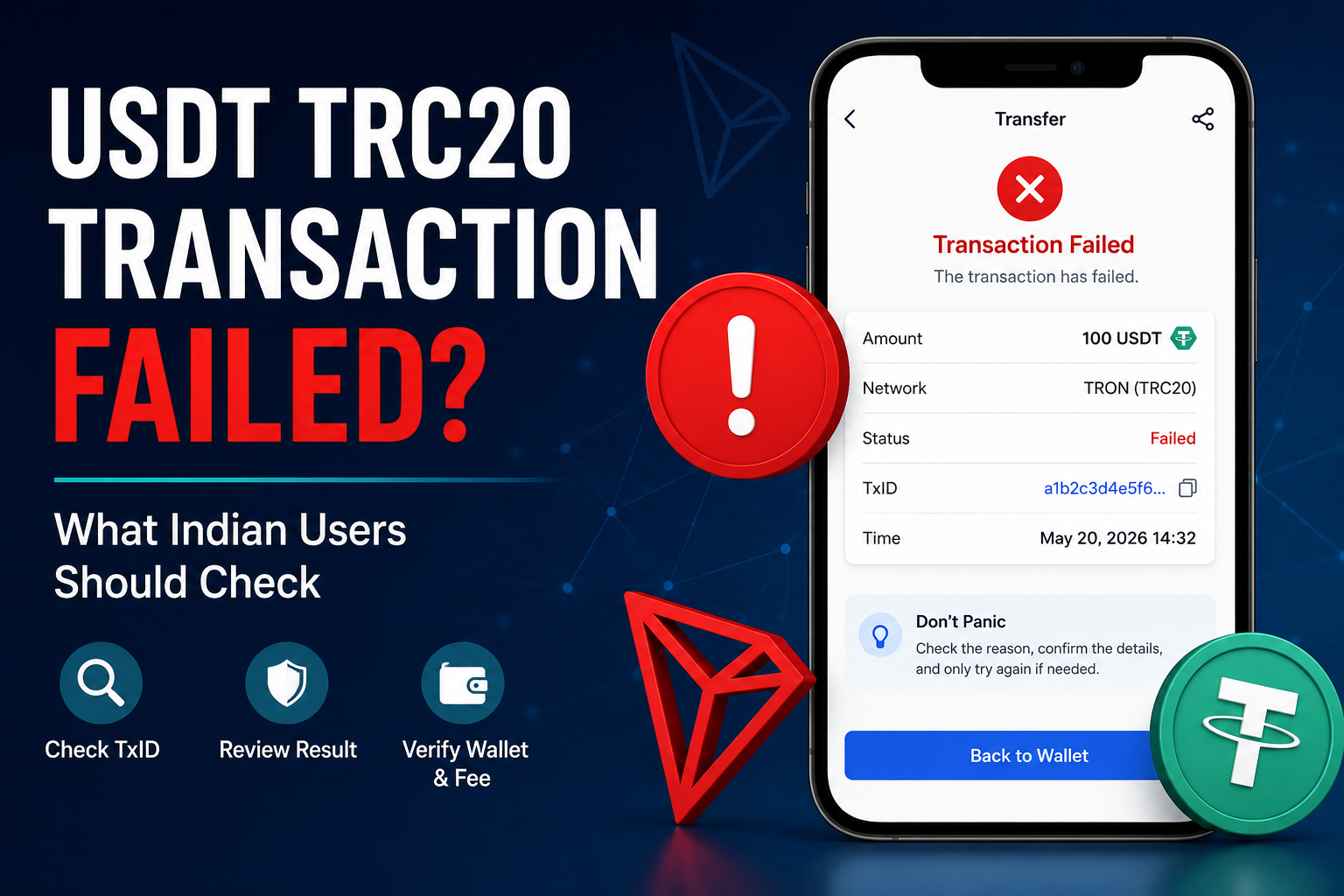
A USDT TRC20 transaction failed message can be worrying, especially if you already pressed Send and expected the payment to arrive.
Your wallet may show an error. An exchange may say the withdrawal failed. Or you may open TRONSCAN and see that the transaction itself is marked as Failed.
These situations may look similar, but they are not always the same.
The most important thing is to find out where the failure happened before sending USDT again.
If a blockchain transaction already exists, check that transaction first. If no TxID was ever created, the transfer may still have failed before it reached the TRON blockchain.
Understanding that difference can save you from making a second payment unnecessarily.
First, Find Out Where the Failure Happened
A USDT TRC20 transfer can involve more than one system.
For example, if you withdraw USDT from an exchange, the process may look like this:
- You request the withdrawal.
- The exchange checks and processes the request.
- A blockchain transaction is created.
- The transaction is sent to the TRON network.
- TRON processes the transaction.
- The receiving wallet or exchange detects the transfer.
A problem can happen before step 3 or after step 3.
That is why the word “Failed” alone does not tell you everything.
Start with one simple question:
Do I have a TxID?
Check Whether You Have a TxID
Open the transaction history or withdrawal history on the wallet or exchange you used.
Look for the USDT transfer.
Depending on the service, the blockchain identifier may be called:
- TxID,
- Transaction Hash,
- Tx Hash,
- Transaction ID.
If a TxID exists, there should be a specific blockchain transaction that you can investigate.
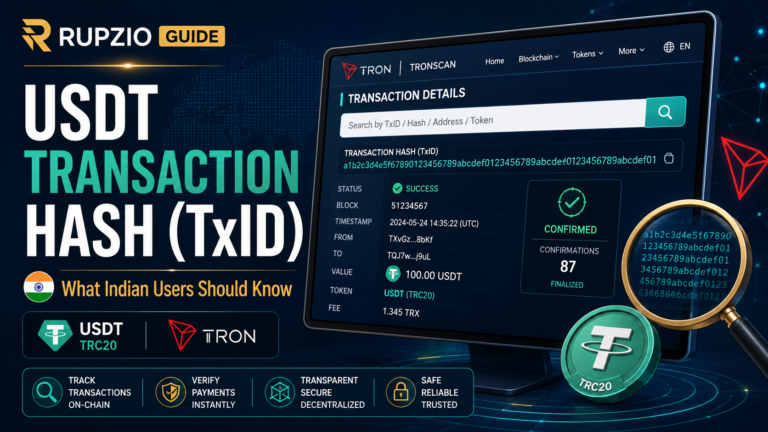
For a USDT TRC20 transfer, you can check it on a TRON blockchain explorer such as TRONSCAN.
If you are not familiar with this process, our how to check a USDT TRC20 transaction on TRONSCAN guide explains it step by step.
If there is no TxID, do not assume the blockchain rejected the transfer.
The transaction may not have reached the blockchain yet.
No TxID? Check the Sending Platform First
Suppose an exchange shows:
Withdrawal Failed
but there is no TxID.
In that situation, the exchange may have rejected or stopped the withdrawal before broadcasting a blockchain transaction.
Possible reasons can depend on the platform and may include:
- withdrawal security checks,
- account verification,
- withdrawal limits,
- maintenance,
- an invalid withdrawal request,
- a temporary platform error.
Read the actual message shown by the exchange.
Check your withdrawal history and any notifications connected to that request.
If the withdrawal never became an on-chain transaction, repeatedly searching TRONSCAN will not help because there is no blockchain transaction to find.
This is different from a withdrawal that remains Processing. Our USDT TRC20 withdrawal stuck on Processing guide explains that situation separately.
If a TxID Exists, Check the Result on TRONSCAN
Once you have the TxID, open the transaction itself.
Do not rely only on what the sending app says.
Look at the blockchain record.
For a normal user, some of the most useful information includes:
- transaction result,
- status,
- sending address,
- receiving address,
- token,
- amount,
- resource or fee information.
The most important thing at this stage is the result.
If TRONSCAN shows that the transaction was successful, then this article is no longer dealing with a failed blockchain transaction.
You may instead be dealing with a receiving-side delay or deposit problem.
If TRONSCAN shows Failed, continue investigating the reason shown with the transaction.
What Does a Failed TRON Transaction Mean?
A failed on-chain transaction means the transaction reached the blockchain but did not execute successfully.
For a failed TRC20 token transfer, the USDT transfer itself should not be treated as completed.
This is different from:
Success
A successful transaction means the blockchain processed the transaction successfully.
A failed transaction means something prevented successful execution.
However, one detail often surprises users:
A failed blockchain transaction can still consume network resources or a fee.
The network still had to receive and process the transaction before determining that it failed.
So it is possible to see:
USDT not transferred
but:
some TRX or network resources used.
Do not confuse the network fee with the USDT amount you wanted to send.
Your USDT and the Network Fee Are Different
Imagine that you try to send:
100 USDT
The transaction fails on the TRON network.
The 100 USDT transfer did not successfully complete.
But the network may still have used resources while processing the failed transaction.
This is why you might notice that your TRX balance has changed even though the USDT did not reach the recipient.
That does not mean the recipient received part of the USDT.
USDT and the TRON network cost are separate parts of the transaction.
Our USDT TRC20 network fee guide explains why TRX can be involved when you send USDT through TRON.
Look at the Failure Reason
Do not stop after seeing the word Failed.
TRON transaction details may contain more information about why the execution failed.
For example, you may see a result related to:
- Out of Energy,
- Transaction Revert,
- execution timeout,
- another transaction execution error.
You do not need to understand every technical field.
The important point is that different failure reasons can require different next steps.
Do not assume that every failed transaction has the same cause.
What Does “Out of Energy” Mean?
TRON uses network resources when smart contract transactions are processed.
USDT TRC20 transfers interact with a smart contract.
One resource you may hear about is Energy.
If the transaction does not have enough resources available for execution, it may fail with an Out of Energy result.
For a normal wallet user, this usually means you should examine the fee or resource information provided by the wallet before trying again.
Do not simply repeat the same transfer immediately.
If nothing has changed, the next transaction may face the same problem.
Check what your wallet requires first.
Do Not Assume More USDT Will Fix an Energy Problem
Suppose you have:
500 USDT
and your transfer fails because of a TRON resource problem.
Adding another:
100 USDT
does not automatically solve that problem.
You would simply have more USDT in the wallet.
The network requirement is separate.
Read the wallet information carefully and understand whether the problem relates to:
- USDT balance,
- TRX balance,
- Energy,
- another network resource,
- or something else.
Adding the wrong asset can leave the original problem unchanged.
What Is a Transaction Revert?
You may also see a failed transaction described as a revert.
In simple terms, the blockchain transaction started executing but the smart contract did not complete the requested action successfully.
The state changes from that failed execution are rolled back.
For an everyday USDT user, the important point is not to guess why the contract reverted.
Check the exact blockchain result first.
If you are using a normal wallet or exchange rather than interacting with a custom smart contract yourself, use the official support channel of the service involved if the reason is unclear.
Do not follow random instructions from people who contact you privately.
A Failed Transaction Is Different From a Pending Transaction
These two situations should not be mixed together.
A pending transaction may still be waiting for processing or confirmation.
A failed transaction has already reached a result showing that execution did not succeed.
So if TRONSCAN clearly says:
Failed
waiting longer will not magically turn that same failed transaction into a successful USDT transfer.
You need to understand the failure and then decide whether a new transaction is necessary.
This is different from simply waiting for confirmations.
Do Not Send Again Until You Check the First Transaction
This is one of the most important safety habits.
Imagine you send 200 USDT.
Something looks wrong.
You become worried and immediately create another 200 USDT transfer.
Now you have two transactions to investigate.
If the first transaction was actually successful and the problem was only a receiving-side delay, the second payment could create an unwanted duplicate transfer.
Before sending again, check:
- Does the first transaction have a TxID?
- What network was used?
- What does TRONSCAN show?
- Was the transaction successful or failed?
- Is the receiving address correct?
- Is the USDT still in the sending wallet?
Only after those facts are clear should you decide what to do next.
Check Your USDT Balance After a Failed Transaction
If TRONSCAN shows that a TRC20 transaction failed, check your wallet again.
Do not rely only on the number you remember seeing earlier.
Refresh the wallet through its normal method.
Then confirm whether the USDT you intended to transfer is still available.
Be careful when doing this.
Some wallets can show multiple tokens with similar names.
Make sure you are looking at the genuine USDT asset on the correct network.
Do not assume every token with a USDT-looking name is the same asset.
Check the Receiving Address Before Trying Again
Even when the first transaction failed, do not automatically reuse everything from that attempt.
Check the receiving address again.
Compare it with the current deposit or receiving address shown by the recipient or receiving platform.
Crypto addresses are long.
Do not compare only one or two characters.
If possible, compare several parts of the address or the complete address.
A failed transaction does not mean the address was wrong.
But before creating a new transaction, there is no reason to skip the address check.
Confirm the Network Again
The receiving side may support several USDT networks.
For example, a platform may offer more than one deposit option.
Before retrying a TRC20 transaction, confirm that the receiving instructions still say TRC20 or TRON.
Do not choose a network only because:
- it looks familiar,
- you used it before,
- the fee looks cheaper,
- or it also contains USDT.
The sending and receiving networks need to match.
A transaction failure and a wrong-network transfer are different problems.
What If the Transaction Shows Success Instead?
Suppose you expected to find a failed transaction but TRONSCAN shows:
Success
That changes the situation.
Do not keep troubleshooting it as a failed blockchain transaction.
Check:
- receiving address,
- token,
- USDT amount,
- receiving platform deposit history,
- required confirmations,
- minimum deposit rules.
A blockchain transaction can be successful before an exchange updates the user’s internal balance.
So always let the actual transaction record guide your next step.
What If the Exchange Says Failed but TRONSCAN Says Success?
When two screens appear to disagree, identify which stage each screen is describing.
TRONSCAN describes the blockchain transaction.
An exchange may also have its own internal withdrawal or deposit status.
If you have the correct TxID and TRONSCAN shows that the transfer was successful, save that TxID.
Then compare:
- destination address,
- token,
- amount,
- network.
If those are correct but the receiving balance has not appeared, the receiving platform may be the more relevant place to investigate.
Do not create another blockchain transfer just because one platform screen has not updated yet.
What If the Wallet Says Failed but There Is No Blockchain Transaction?
A wallet can sometimes reject an attempt before broadcasting anything to the blockchain.
In that case, you may have:
- no TxID,
- no transaction on TRONSCAN,
- and no completed USDT transfer.
Read the wallet error carefully.
It may relate to:
- insufficient network resources,
- insufficient TRX,
- invalid address,
- connectivity,
- wallet configuration,
- or another local issue.
The exact reason depends on the wallet.
The important distinction is whether an on-chain transaction actually exists.
Check Whether the Wallet Has Enough TRON Resources
If the failed attempt is connected to Energy or a fee issue, check the wallet before retrying.
Do not use a fixed number copied from a random post.
The amount or resource requirement can vary.
Use the information shown by the wallet you are actually using.
If the wallet says more TRX or network resources are required, understand that requirement before creating another transaction.
Do not send TRX to a stranger who claims they can “activate” your USDT.
Be Careful With “Transaction Recovery” Services
Failed crypto transactions can attract scammers.
Someone may say:
“I can recover the failed transfer.”
They may ask you to:
- send a recovery fee,
- connect your wallet,
- share your screen,
- install remote-access software,
- provide your seed phrase,
- give them your private key.
Do not do this.
A public blockchain transaction can be checked using its TxID.
Nobody needs your seed phrase simply to read the transaction.
Your seed phrase controls your wallet.
It should not be given to customer support, a Telegram account, a website operator or someone claiming to be a blockchain expert.
A Failed Transaction Does Not Need “Activation”
Be suspicious if someone tells you:
“Your USDT failed because it needs activation.”
or:
“Pay another wallet and we will unlock the transaction.”
A real failure should be investigated through the actual transaction details and the official wallet or platform involved.
Do not create another payment simply because a stranger uses technical words.
Check the TxID and transaction result yourself.
Can You Retry a Failed USDT TRC20 Transaction?
Possibly, but do not treat Retry as the first step.
First understand why the original transaction failed.
If the issue was a network resource shortage, make sure that problem has been addressed.
If the receiving address was copied incorrectly, fix the address.
If the network selection was wrong, stop and verify the receiving instructions.
If the exchange rejected the withdrawal before creating a TxID, follow the exchange’s own instructions.
A new transaction should be a new informed decision, not a reaction to panic.
Do Not Reuse an Old Transaction Hash
A TxID identifies one specific blockchain transaction.
If the transaction failed and you later create a new transfer, the new transaction should have its own transaction identifier.
Do not expect the old TxID to change into the new transaction.
Keep both records if you need to compare them.
This helps you avoid confusing:
- the failed attempt,
- with the later successful attempt.
It is especially useful when contacting support.
Save the Failed Transaction Details
Until the issue is clear, keep useful information about the transaction.
This can include:
- TxID,
- date and approximate time,
- USDT amount,
- sending address,
- receiving address,
- network,
- transaction result,
- screenshot of the wallet message.
Do not save sensitive credentials together with those details.
Never include:
- seed phrase,
- private key,
- wallet password,
- OTP.
Those are not needed to identify a normal blockchain transaction.
When Should You Contact the Sending Platform?
The sending platform is usually more relevant when:
- no TxID was ever created,
- the withdrawal was rejected,
- the exchange shows Failed before broadcasting,
- the platform gives a specific account or verification error,
- or you cannot determine whether the withdrawal reached the blockchain.
Use the platform’s official website or app to find support.
Do not search for a phone number and automatically trust the first result.
Fake customer support is common around payment and crypto problems.
When Is the Blockchain Record More Useful?
If a TxID already exists, the blockchain record becomes extremely useful.
It can tell you whether the transaction:
- exists,
- succeeded,
- failed,
- used the expected address,
- involved the expected token.
This helps separate a blockchain problem from a platform problem.
You do not need to understand every technical field.
For most users, confirming the result, address, token and amount is enough to decide where to investigate next.
When Does the Receiving Platform Become Relevant?
If the transaction is actually successful, the receiving platform becomes more relevant.
For example:
TRONSCAN shows Success.
The receiving address matches.
The amount is correct.
The network is TRON.
But the exchange deposit is still missing.
That is no longer the same situation as a failed TRON transaction.
The receiving platform may still be:
- detecting the deposit,
- waiting for confirmations,
- applying its own deposit checks,
- or updating the account balance.
Do not send again until you know which situation you are dealing with.
Do Not Confuse “Failed” With “Not Showing”
These phrases can lead to very different troubleshooting steps.
“Transaction failed” means the transaction did not complete successfully.
“Deposit not showing” may happen even after a successful blockchain transfer.
“Withdrawal processing” may mean no blockchain transaction has been created yet.
“Pending” may mean a transaction is still waiting for a final state.
Using the correct description makes it much easier to find the correct next step.
Check the Token, Not Only the Amount
Suppose you expected to send 100 USDT.
You find a transaction for 100 of another token.
The amount looks right, but it is not your USDT transfer.
When checking transaction history, compare:
- token,
- amount,
- TxID,
- destination address,
- approximate time.
Do not select a transaction only because the number looks familiar.
Should You Pay Another Fee After a Failed Transaction?
Do not pay anything to a stranger.
If you decide to create a new blockchain transaction after fixing the original problem, that new transaction may have its own legitimate network requirement.
That is different from somebody asking you to send a “recovery fee” to their wallet.
Check fees through the wallet or exchange you are actually using.
Do not trust payment instructions sent through random messages.
A Small Test Transfer May Help in Some Situations
If you have corrected the original issue and are preparing an important transfer to a new address, a smaller test transfer can sometimes help confirm the setup.
But remember that it is still a real transaction.
It can have its own network cost.
Do not perform repeated tests without understanding why the original transaction failed.
A test transfer is useful only when it answers a clear question about the address or network setup.
Check Everything Again Before Retrying
Before creating another USDT TRC20 transfer, go through the basics again:
- Is the asset really USDT?
- Does the receiving side support TRC20?
- Is TRON/TRC20 selected on the sending side?
- Is the receiving address correct?
- Is the amount correct?
- Does your wallet show enough resources or TRX?
- Did the first attempt create a TxID?
- What result does TRONSCAN show?
- Is the first USDT amount still in your wallet?
- Are you using the official wallet or exchange?
Our USDT payment safety guide covers the wider checks that are useful before sending any crypto payment.
A Simple Way to Handle a Failed USDT TRC20 Transaction
If your USDT TRC20 transfer appears to have failed, do not begin by sending again.
Begin with the transaction record.
If there is no TxID, investigate the sending wallet or exchange.
If there is a TxID, check it on TRONSCAN.
If TRONSCAN says Failed, look at the failure reason and confirm that the original USDT did not successfully transfer.
If the issue relates to network resources, understand the wallet requirement before retrying.
If TRONSCAN says Success, stop treating it as a failed blockchain transaction and investigate the receiving side instead.
The goal is not to make another transfer as quickly as possible.
The goal is to understand what happened to the first one before you take the next action.