UPI Payment Declined by Bank? What Indian Users Should Check
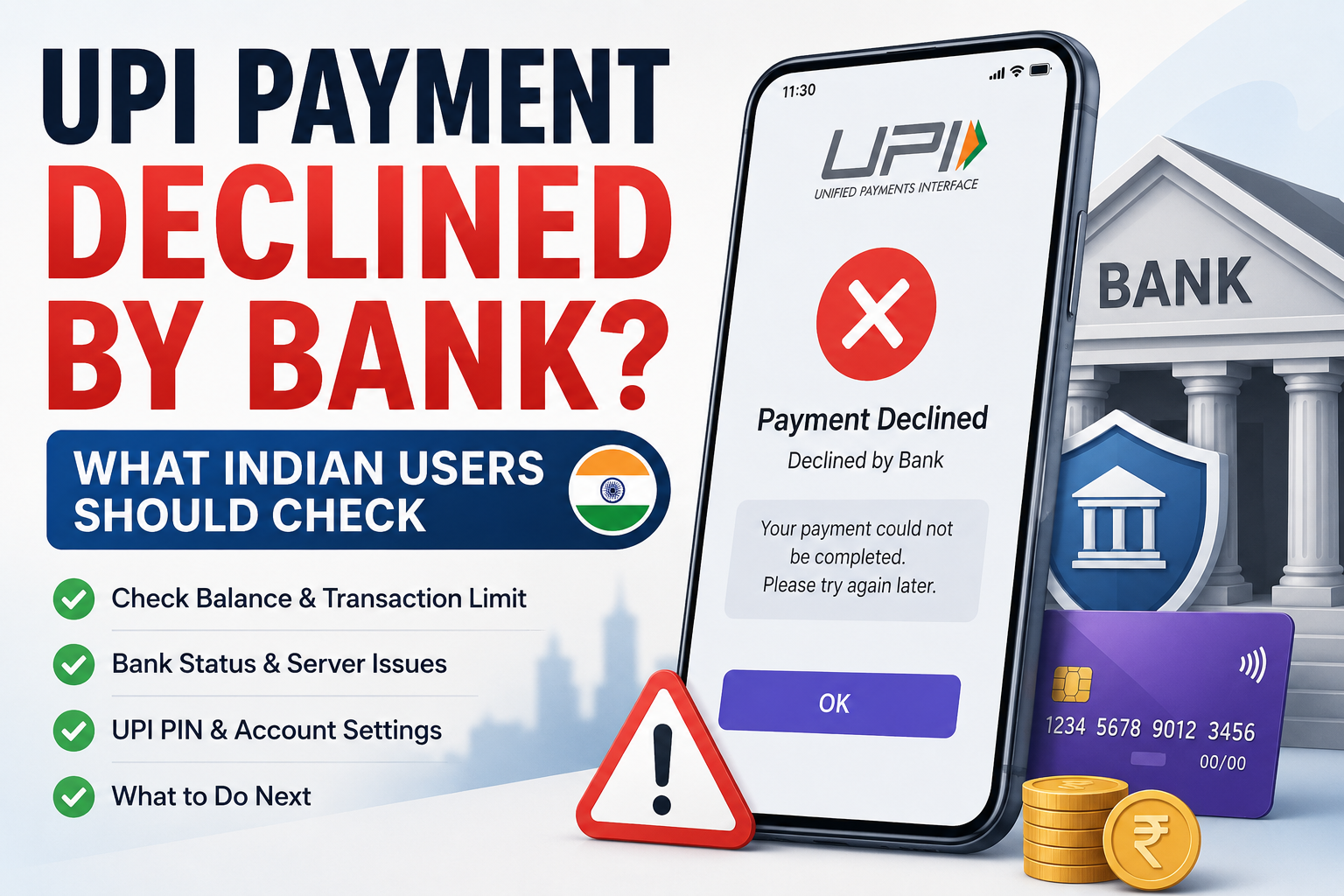
UPI payment declined by bank?
You may enter the correct amount, select the correct person, enter your UPI PIN and still see a message saying the payment was declined.
This can be confusing, especially when your UPI app itself seems to be working normally.
A bank decline does not always mean that UPI is completely down.
It can mean that the bank handling your account did not approve that particular transaction.
The reason may involve your account, transaction limit, available balance, security checks, UPI PIN, bank systems or another payment restriction.
Before trying the same payment again and again, check what the app and bank are actually telling you.
What Does “UPI Payment Declined by Bank” Mean?
A bank-declined UPI payment generally means the transaction was not approved by one of the banks involved in processing it.
For a normal payment, several systems may be involved:
- your UPI app,
- your bank,
- the recipient’s bank,
- and the UPI network.
Because more than one system is involved, a message such as Declined by Bank does not always tell you the full technical reason.
The important point is that a decline is different from a transaction that completed successfully.
Do not treat the payment as successful unless the final transaction status confirms it.
First, Check Whether Money Was Debited
Before doing anything else, check your bank account.
Look at your recent transactions or bank statement.
There are two different situations:
Payment declined and no money was debited
and:
Payment declined but money was debited
These should not be treated in the same way.
If your account was not debited, you can investigate the reason for the decline before deciding whether to try again.
If money was debited even though the transaction failed or was declined, do not immediately make another payment.
Our UPI payment failed or pending guide explains what to check when money has already been deducted.
Check Your Available Bank Balance
One of the simplest things to check is your available balance.
Suppose you want to send ₹10,000.
Your account may show money, but some of it may not be available for immediate payment because of:
- another pending debit,
- a hold,
- a lien,
- an account restriction,
- or another banking transaction.
Do not rely only on what you remember your balance to be.
Open the bank app or account statement and check the current available amount.
If the payment amount is close to your available balance, also make sure there is no other debit occurring at the same time.
Check Whether You Have Reached a Transaction Limit
UPI transactions can be subject to limits.
These may include:
- a per-transaction limit,
- a daily limit,
- a frequency limit,
- or another limit set by the bank.
NPCI’s own decline-code guidance includes bank-induced declines for transaction-frequency limits and per-transaction limits set by the remitting bank. Banks can also apply their own internal limits within the overall UPI framework.
This means a payment that worked yesterday may still be declined today if you have already made several transactions or reached a bank-specific limit.
If your app mentions a limit, do not keep retrying the same amount.
Check the information provided by your bank or UPI app first.
The Limit May Depend on the Type of Payment
Not every UPI payment is treated exactly the same.
The rules can differ depending on whether you are making:
- a person-to-person transfer,
- a merchant payment,
- or another supported UPI transaction.
Certain verified merchant categories can have higher transaction limits, while banks still retain discretion to apply their own internal limits.
So avoid assuming:
“UPI always allows exactly the same maximum amount for every payment.”
Check the actual limit relevant to your bank and transaction.
Check Whether Your Bank Is Having a Temporary Problem
Sometimes the UPI app is open and working, but the bank connection is having trouble.
You may be able to:
- open the app,
- scan a QR code,
- choose the recipient,
- and enter an amount,
but the payment still gets declined when the bank needs to approve it.
If this happens once, wait briefly and check again later.
If several transactions from the same bank account are failing, the problem may be on the banking side rather than with the recipient.
You can also see whether another bank account linked to your UPI app is working normally.
Do not keep submitting the same payment every few seconds.
Check the UPI PIN Carefully
An incorrect UPI PIN can cause a transaction to be rejected.
This may happen because:
- you entered the wrong PIN,
- you confused the UPI PIN with another PIN,
- or you recently changed the PIN and entered the old one.
NPCI documentation explicitly describes an incorrect UPI PIN as a reason a transaction can be declined in relevant UPI flows.
Remember:
UPI PIN is not your OTP.
It is also not necessarily the same as your phone unlock code or ATM PIN.
If you are unsure about these differences, our UPI PIN vs OTP guide explains them in simple terms.
Do Not Keep Guessing Your UPI PIN
If you are unsure of the PIN, repeatedly trying different numbers is not a good solution.
Banking systems may restrict further attempts after repeated incorrect authentication.
If you genuinely forgot your UPI PIN, use the official reset process in your UPI app or bank.
Do not ask another person to set it for you.
And never share the PIN with anyone claiming they need it to fix a declined payment.
Check the Bank Account Linked to UPI
People often have multiple bank accounts connected to the same UPI app.
For example, you may have:
- one salary account,
- one savings account,
- and another account used less frequently.
Before sending, check which account is selected.
You may think you are paying from Bank A while the app is actually trying to debit Bank B.
If Bank B has:
- insufficient balance,
- transaction restrictions,
- temporary technical problems,
- or a lower payment limit,
the transaction may fail even though another account has enough money.
Try Selecting the Correct Bank Account Again
If multiple bank accounts are linked, open the payment screen and confirm the selected account before trying again.
Do not switch accounts randomly just to make the payment work.
First understand whether the earlier transaction was actually debited.
If it was not, choosing another valid account can sometimes be reasonable.
If money was already debited, investigate the original transaction before creating another one.
Check Whether the Recipient Details Are Correct
A payment decline can sometimes happen during recipient verification or payment processing.
Before retrying, confirm:
- recipient name,
- UPI ID,
- QR details,
- and payment amount.
If you manually entered a UPI ID, check it again.
Do not change characters randomly because the first attempt was declined.
Our verify a UPI ID before sending money guide explains how to check the recipient before authorising a payment.
Do Not Assume the Recipient Is the Problem
If your bank says the payment was declined, the recipient may not have done anything wrong.
It is easy to think:
“Maybe their UPI is broken.”
But the rejection may be coming from your own bank.
Look at the wording of the status message.
If it specifically mentions:
- your bank,
- payer bank,
- remitter bank,
- transaction limit,
- insufficient balance,
- or authentication,
start with the sending side.
What If the App Says “Payment Declined by Bank”?
Take a screenshot if you need it for reference, but also open the transaction details.
Look for:
- status,
- amount,
- bank account,
- transaction ID,
- UPI reference number,
- and any error message.
The exact wording may help when contacting support.
Do not rely only on the large red Declined message.
Sometimes the transaction details provide more information.
What If You See an Error Code?
Some UPI failures can display a short code or technical message.
Do not panic if you do not understand it.
And do not immediately search random websites and follow instructions from strangers.
First check whether your UPI app itself explains the error.
If not, keep the code and contact the official bank or app support.
The code can help them identify whether the issue relates to:
- transaction limits,
- account restrictions,
- authentication,
- technical processing,
- or another bank response.
Do Not Keep Retrying a Declined Payment
Suppose your ₹20,000 payment is declined.
You try again.
Declined.
You try five more times.
This does not necessarily solve the original problem.
If the reason is a transaction limit or bank restriction, repeated attempts may continue to fail.
Instead:
- Check whether any attempt debited your account.
- Check the decline message.
- Check your balance.
- Check your transaction limits.
- Wait if the bank appears temporarily unavailable.
- Contact official support if the problem continues.
Understanding the reason is more useful than pressing Pay ten times.
What If a Smaller Payment Works?
This can be a useful clue.
For example, ₹50 works but ₹50,000 is declined.
That does not automatically prove the bank has a particular limit, but it suggests the issue may be related to:
- transaction size,
- account rules,
- bank limits,
- or security controls.
Do not deliberately split a payment into many smaller transactions to bypass a bank restriction.
If the bank has placed a limit or security control, understand it first.
New UPI Setup Can Also Matter
If you recently:
- registered UPI on a new phone,
- changed your SIM,
- changed your bank account,
- reset your UPI PIN,
- or reinstalled your UPI app,
the bank may require additional verification or impose temporary controls.
The exact behaviour depends on the bank and app.
If a payment starts getting declined immediately after an account or device change, this is worth checking.
Use the official app’s help section or contact your bank if the restriction is unclear.
What If Only One Merchant Payment Is Declined?
If other UPI transfers work but one particular merchant transaction does not, the issue may be specific to that payment.
Check:
- merchant name,
- QR code,
- amount,
- payment request,
- and whether the merchant’s payment system is working.
Do not immediately conclude that your entire UPI account has stopped working.
You can distinguish this from a broader problem by checking whether other normal UPI functions are available.
Be Careful With Collect Requests After a Decline
Suppose your first payment is declined.
Someone then tells you:
“I will send you a request. Accept it to complete the payment.”
Read the screen carefully.
A collect request can authorise money to leave your account.
Never approve a request simply because somebody says it will:
- fix the failed payment,
- refund your money,
- verify your bank,
- or unblock UPI.
Check the recipient and amount before entering your UPI PIN.
Nobody Needs Your UPI PIN to Fix a Decline
Your bank may need transaction information to investigate the issue.
It does not need you to tell an employee your UPI PIN.
Never share:
- UPI PIN,
- OTP,
- debit-card PIN,
- CVV,
- internet banking password,
- screen-sharing control.
If someone asks for these details to “remove the bank decline,” stop communicating with them.
Use official bank or UPI-app support instead.
When Should You Contact Your Bank?
Contact your bank if:
- payments are repeatedly declined,
- the app specifically says the bank declined the transaction,
- your account has enough available balance,
- you are not knowingly over your limit,
- your UPI PIN is correct,
- and the problem continues.
Keep useful information ready:
- transaction time,
- amount,
- UPI app used,
- selected bank account,
- transaction ID or reference number,
- error message or code.
These details are much more useful than simply saying:
“UPI is not working.”
What If Money Was Debited Even Though It Says Declined?
This deserves a separate check.
Do not immediately pay again.
Open the transaction details and bank statement.
Save the transaction reference.
A declined or failed transaction where the account was debited may involve reversal or reconciliation rather than a simple retry.
NPCI has long required member banks to handle debit reversals and reconciliation for declined UPI transactions.
Follow the failed-payment process and raise a complaint if the money does not return within the applicable timeframe.
What If the Payment Later Shows Successful?
Always look at the latest status.
If a transaction that appeared uncertain later shows Successful, do not send it again simply because the recipient has not yet seen the money.
That becomes a different problem.
Our UPI payment successful but money not received guide explains what to check when the transaction has succeeded but the recipient says the money has not arrived.
Declined, Failed and Pending Are Different
These words may appear similar when you only want the payment to work.
But they describe different situations.
Declined usually means the payment was rejected.
Failed means the transaction could not complete successfully.
Pending means a final status may not yet be available.
The exact terminology can vary between apps and banks, so always check the transaction details rather than relying only on your memory of the pop-up message.
Before Trying the UPI Payment Again
Use this quick checklist:
- Check whether your account was debited.
- Confirm your available balance.
- Read the exact decline message.
- Check which bank account is selected.
- Confirm the UPI PIN was entered correctly.
- Check whether a transaction or frequency limit may apply.
- Verify the recipient and UPI ID.
- Check whether your bank appears temporarily unavailable.
- Do not repeatedly retry the same payment.
- Contact official bank or app support if the decline continues.
A bank decline does not automatically mean your UPI account is permanently broken.
It usually means something in that payment needs to be checked before trying again.
Find out what was declined, make sure no money was already debited, and only then decide whether another payment is necessary.