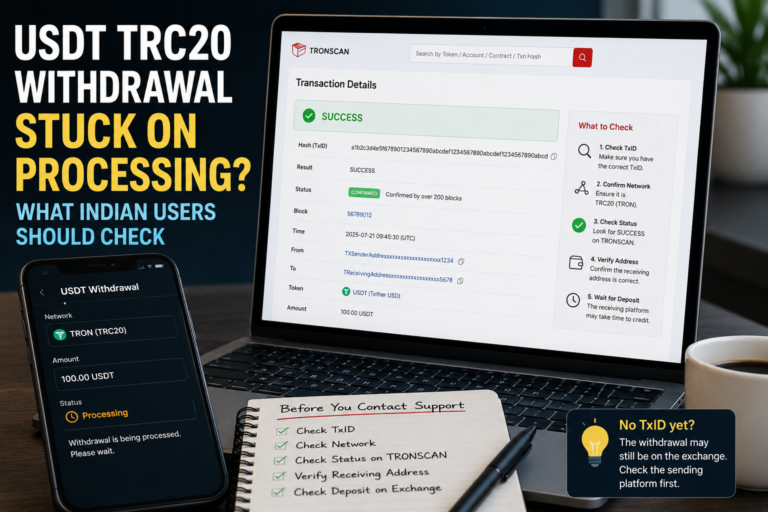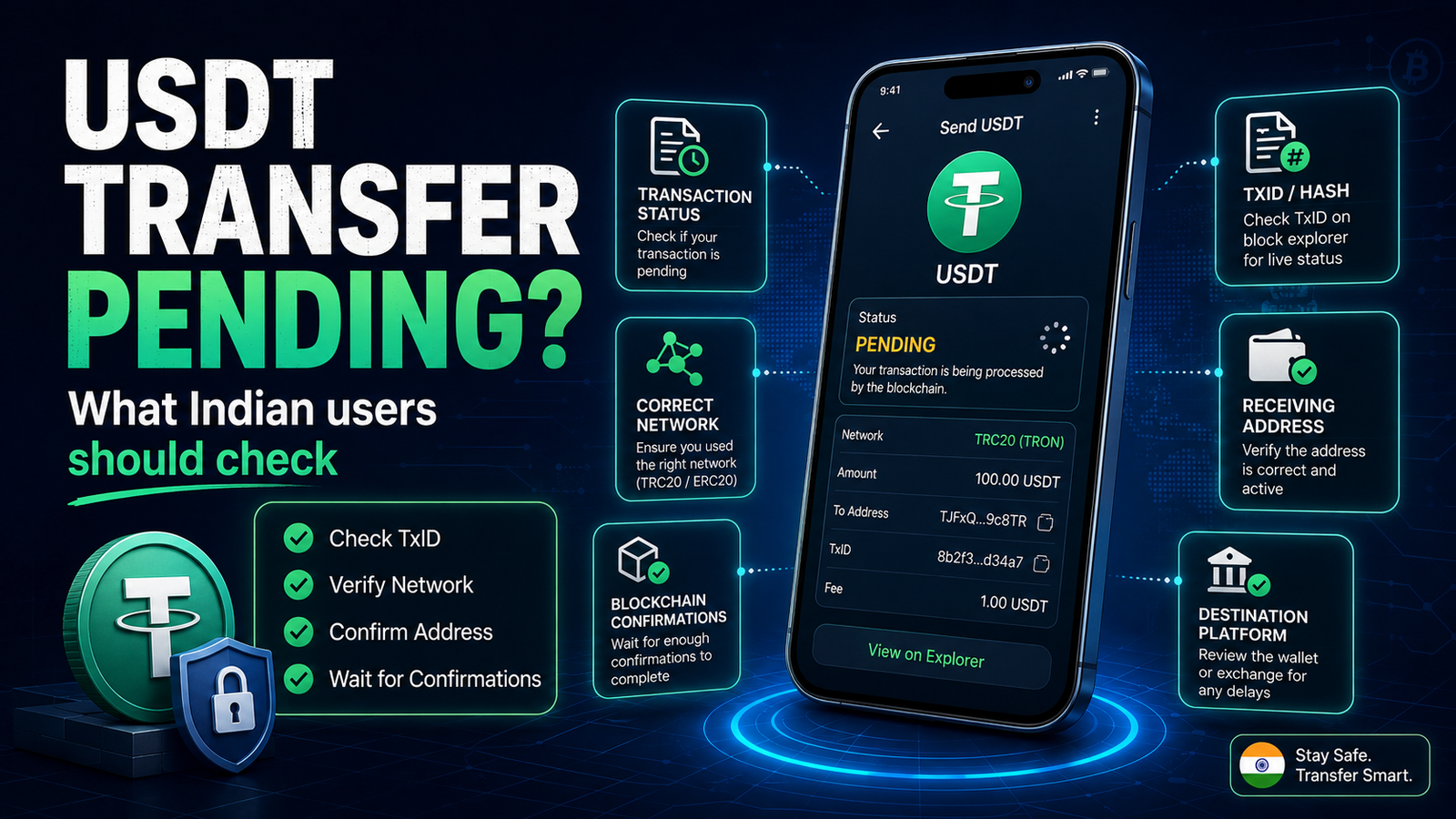
USDT Transfer Pending? What Indian Users Should Check
USDT transfer pending can be worrying, especially when you have already sent the payment but the recipient has not received it yet.
You may see that the balance has changed in your wallet, while the receiving wallet or platform still shows nothing. In another situation, the transaction may appear as pending for longer than you expected.
This does not automatically mean the USDT is lost.
A crypto transfer can involve several steps. The wallet or exchange first creates the transaction, the blockchain processes it, and the receiving platform may then need additional time before showing the deposit in the user’s balance.
Before sending the same payment again, it is important to understand what happened to the first transfer.
First Check Whether the USDT Was Actually Sent
Do not immediately send another transaction just because the recipient says the USDT has not arrived.
Open the wallet or exchange that you used to send the payment and check your transaction history.
Look for the transfer and check its current status.
Depending on the wallet or platform, you may see words such as:
- Pending
- Processing
- Completed
- Successful
- Failed
- Rejected
The exact wording can vary.
If there is no completed transaction yet, the transfer may still be waiting inside the wallet or exchange rather than being fully processed on the blockchain.
If the transfer is already marked as completed, the next step is to check its blockchain information.
Look for the Transaction Hash or TxID
A blockchain transaction normally has a unique identifier commonly called a transaction hash or TxID.
This identifier is useful because it allows you to check what happened to the transfer independently of the wallet interface.
A transaction hash can help show whether the transaction:
- reached the blockchain,
- is still waiting,
- succeeded,
- failed,
- or was sent to a particular address.
Tether’s own support guidance also refers to transaction IDs or hashes when investigating token transfer issues.
If your wallet or exchange provides a transaction hash, copy it carefully.
Do not confuse the transaction hash with your wallet address.
Check Which Network You Used
USDT exists on more than one blockchain.
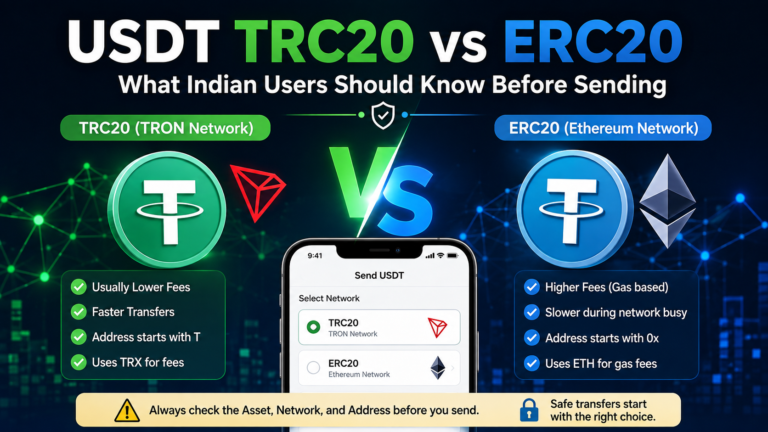
For example, USDT can operate on the TRON network as TRC20 and on Ethereum as ERC20. These are different blockchain networks even though the token may still be shown as USDT.
This is why checking the network is one of the most important steps when a transfer appears to be missing.
If you selected TRC20 when sending, the receiving side must support the corresponding TRON-based USDT deposit.
If you selected ERC20, the destination must support the Ethereum-based USDT deposit.
If you are still unsure about the difference, read our USDT TRC20 vs ERC20 guide before making another transfer.
Never choose a network only because its name looks familiar.
Check the Receiving Address Again
After confirming the network, compare the destination address with the address that the recipient or platform originally provided.
Do not rely only on the first and last few characters if you can check the complete address safely.
A crypto transaction sent to the wrong address may be difficult or impossible to reverse.
Tether also warns users to double-check both the selected protocol and the destination address because mistakes can result in funds that may not be recoverable.
This is also why USDT payment safety should start before pressing the final send button.
Check the Transaction on the Correct Blockchain Explorer
If a transaction hash is available, you can check the transaction on the explorer for the network that you used.
For a TRON transaction, the blockchain record can be viewed through a TRON explorer such as TRONSCAN. TRONSCAN provides transaction information directly from the TRON blockchain.
Ethereum transactions can similarly be tracked using Ethereum-compatible blockchain explorers.
The important point is to use the explorer for the correct network.
Do not enter a TRON transaction into an Ethereum explorer and assume there is a problem simply because nothing appears.
Pending Does Not Always Mean Failed
A pending transaction and a failed transaction are not the same thing.
A pending transaction has not yet reached its final blockchain state.
On Ethereum, for example, a transaction can remain pending while waiting to be included in a block. Ethereum’s official documentation also notes that transactions can remain pending when the fee offered is below what the network currently requires.
The exact reason depends on the network, wallet and way the transfer was sent.
This is why it is better to check the transaction information rather than guessing.
The Sending Exchange May Still Be Processing the Withdrawal
Not every USDT transfer begins directly from a personal crypto wallet.
Many users send USDT from an exchange or another platform.
In this situation, there can be two separate stages:
- The platform processes the withdrawal.
- The blockchain processes the transaction.
If the exchange still shows the withdrawal as processing and no transaction hash has been created, the transaction may not yet have been broadcast to the blockchain.
Sending another payment at this point could create a duplicate transfer if the first withdrawal eventually goes through.
Wait until you understand the status of the original withdrawal.
A Successful Blockchain Transaction May Still Not Appear Immediately
There is another situation that can confuse users.
The blockchain explorer may show that the transaction succeeded, but the receiving exchange or platform has not yet added the USDT to the account balance.
In this case, the blockchain transfer and the receiving platform’s internal deposit process are two different things.
Some platforms may wait for blockchain confirmations or perform internal deposit checks before updating the user’s account.
If the blockchain shows success but the destination balance remains unchanged, check the receiving platform’s deposit history before doing anything else.
Do not immediately send the payment again.
Check Whether the Receiving Platform Supports the Network
A USDT deposit address should not be treated as automatically compatible with every USDT network.
A platform may support one network but not another.
For example, the fact that a platform accepts USDT does not by itself mean that every blockchain version of USDT is accepted.
Tether itself lists different protocols separately, including TRC20 on TRON and ERC20 on Ethereum.
Always check the network shown on the deposit page before sending.
If you already sent the transfer using a network that the receiving platform does not support, do not try random recovery methods.
Contact the legitimate support channel of the receiving platform and provide the transaction information if requested.
Do Not Send a Second Transfer Too Quickly
One of the easiest mistakes to make during a delayed payment is sending the same amount again.
Imagine that you send 50 USDT.
The recipient says nothing arrived.
You wait for a few minutes, become worried, and send another 50 USDT.
Later, both transfers arrive.
You have now sent 100 USDT instead of 50 USDT.
This is why the first step should always be checking the original transaction.
A delay is not enough evidence that the first payment failed.
Do Not Cancel or Replace a Transaction Without Understanding the Network
You may find online instructions explaining how to speed up, replace or cancel a pending crypto transaction.
Be careful.
These methods depend on the blockchain, wallet and transaction type.
Ethereum, for example, has mechanisms that some wallets use to replace a pending transaction with another transaction using the same account transaction sequence. Ethereum’s official support documentation describes speed-up and cancellation approaches for stuck transactions.
That does not mean the same method should be used for every USDT transfer or every network.
If you do not understand exactly what the wallet is asking you to do, avoid experimenting with a real payment.
Check the Amount Before Trying Again
If the original transaction genuinely failed and you decide to try again, check the amount from the beginning.
Do not assume all fields are still correct simply because you entered them earlier.
Recheck:
- USDT amount
- destination address
- network
- wallet or exchange balance
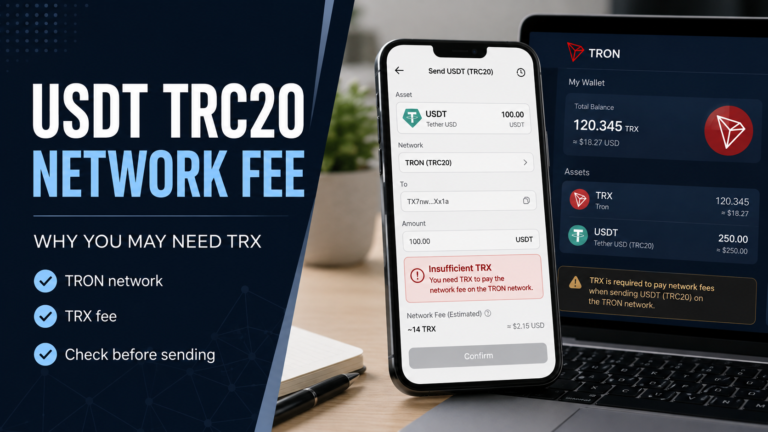
- applicable network or withdrawal fee
- receiving platform details
A second attempt should be treated as a new transaction, not as a button you press repeatedly until something happens.
Be Careful With Screenshots as Proof of Payment
A screenshot can be useful for communication, but it should not be your only proof that a USDT transfer happened.
Screenshots can be incomplete, outdated or altered.
The transaction hash and blockchain record provide more useful information when checking an on-chain transfer.
If someone sends you a screenshot saying that a payment was completed, check whether there is a valid transaction ID that matches the correct network, address and amount.
Be Careful With Fake Support
A delayed USDT transfer can make users impatient, and that is exactly when scammers may try to take advantage of the situation.
Be suspicious of anyone who contacts you unexpectedly and claims they can recover, unlock or speed up your USDT.
Never give a stranger:
- your wallet recovery phrase,
- seed phrase,
- private key,
- password,
- OTP,
- remote access to your phone or computer.
Legitimate troubleshooting should not require giving someone control of your wallet.
The same caution applies to fake customer care numbers found through random search results, social media comments or messaging groups.
Use only the official support channel of the wallet, exchange or platform involved.
What If the Transaction Shows Failed?
If the blockchain or wallet clearly shows that the transaction failed, first check whether the USDT actually left your balance.
Do not assume the result based only on an error message.
A failed blockchain transaction does not necessarily behave in exactly the same way across every network or platform.
Check:
- transaction status,
- wallet balance,
- transaction history,
- network used,
- and any error message displayed.
If you do not understand the result, contact the legitimate provider before attempting another large transfer.
What If the Transaction Shows Successful?
If the blockchain explorer shows that the transaction was successful, check three things:
- Was it sent to the correct address?
- Was it sent through the correct network?
- Does the receiving platform support that network?
If all three are correct but the balance still has not appeared, the receiving service may need to investigate the deposit.
Keep the transaction hash available.
It is usually much more useful than saying only, “My USDT has not arrived.”
Small Test Transfers Can Reduce Risk
When sending USDT to a new address or platform for the first time, some users choose to make a small test transfer before sending a larger amount.
This does not eliminate every risk, and it may mean paying additional fees.
However, it can help confirm that the address and network are working as expected before a larger transfer is made.
This approach can be especially useful when you are unfamiliar with the receiving wallet or deposit process.
For additional precautions before sending, see our USDT payment safety guide.
Keep Basic Transaction Records
After sending USDT, keep the important transaction information until the payment is fully confirmed.
Useful information can include:
- transaction hash,
- date and approximate time,
- amount,
- network,
- destination address,
- withdrawal status if using an exchange.
You do not need to share all of this information publicly.
Keep it privately in case you need to contact legitimate support.
When Should You Contact Support?
Consider contacting the sending wallet or exchange if:
- the withdrawal remains processing for an unusually long time,
- no transaction hash is provided,
- the platform shows an unexplained error,
- or the withdrawal status is unclear.
Consider contacting the receiving platform if:
- the blockchain transaction is successful,
- the network and address appear correct,
- but the deposit is still not credited.
When contacting support, describe the situation clearly.
Avoid sending sensitive wallet credentials.
A transaction hash may be useful for investigation, but your seed phrase or private key should never be required for ordinary deposit troubleshooting.
A Simple Checklist for a Pending USDT Transfer
Before sending USDT again, check:
- Did the first transaction actually leave the wallet?
- Is there a transaction hash?
- What network was used?
- Does the receiving platform support that network?
- Is the destination address correct?
- Does the blockchain show pending, failed or successful?
- Is the sending exchange still processing the withdrawal?
- Has the receiving platform credited the deposit?
- Are you using an official support channel?
Taking a few minutes to check these points can prevent a delayed transaction from turning into a second mistake.
Before Sending USDT Again
A pending USDT transfer can feel stressful, but sending the payment again immediately is usually not the best first reaction.
Start with the transaction history.
Check the network.
Check the address.
Find the transaction hash.
Then look at the blockchain status and the receiving platform separately.
Most importantly, do not let a delay pressure you into sharing wallet credentials, contacting random support accounts or sending the same payment repeatedly.
Understanding what happened to the first transaction should always come before attempting the next one